Intelligent BPM and Analysis Suite
From a simple idea to a complete, AI-driven process analysis in minutes.
Empower Your Business Processes with Intelligent BPM
Streamline operations, analyze performance, and drive efficiency with our advanced suite.
Why Visual Paradigm
A Guided Path to Success
Get Expert Results, No Experience Needed Finding a problem is easy—fixing it is the hard part. Our app takes the guesswork out of the process by guiding you step-by-step to find solutions, stay organized, and track your progress. You don’t need to be a pro; the app handles the complex stuff for you.
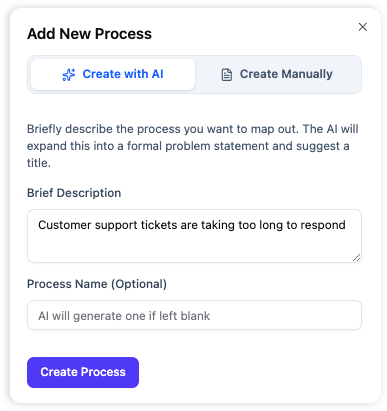
AI-Powered Starting Blocks
Turn Ideas into Clear Plans in Seconds Not sure how to explain the problem? Just describe what’s happening in your own words. Our AI takes your thoughts and turns them into a professional summary, giving you a solid starting point for your project.
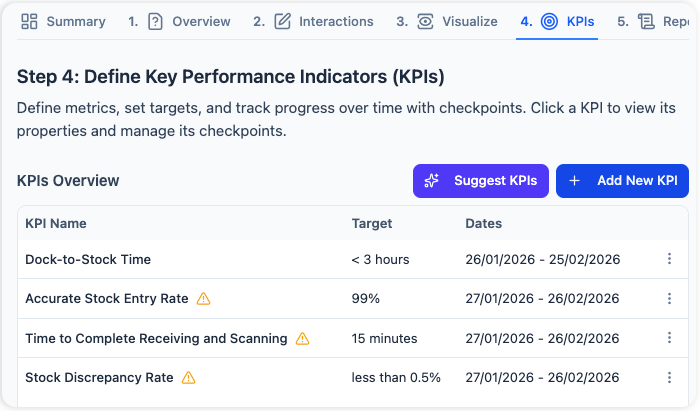
Smart Goal Tracking (KPIs)
See Your Success with AI Stop guessing if your changes are actually making a difference. Easily set goals and keep track of your progress as you go. If you aren’t sure what to keep an eye on, our AI will suggest the best things to measure for your specific project so you can stay on target.
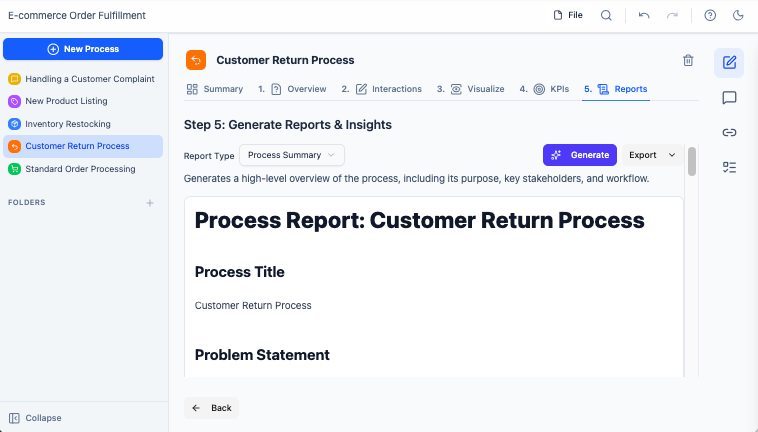
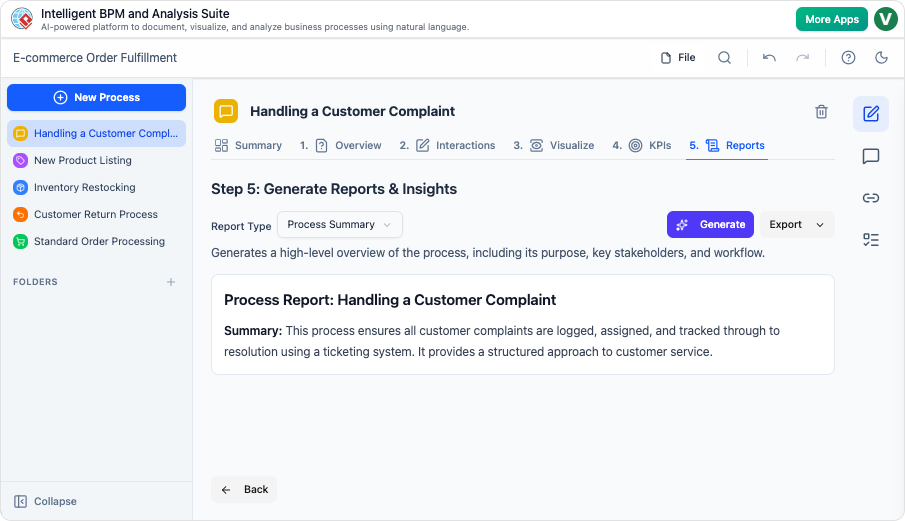
Intelligent Insights & Custom Reports
Get the Full Picture Instantly Don’t settle for just the basics. Our AI creates step-by-step plans, warns you about potential risks, and lists exactly what you’ll need to get started. Need something specific? Just ask the AI a question, and it will build a custom report just for you.
The Intelligent BPM and Analysis Suite provides comprehensive tools to design, execute, monitor, and optimize your business processes effectively. Leverage advanced analytics to gain insights and make data-driven decisions.
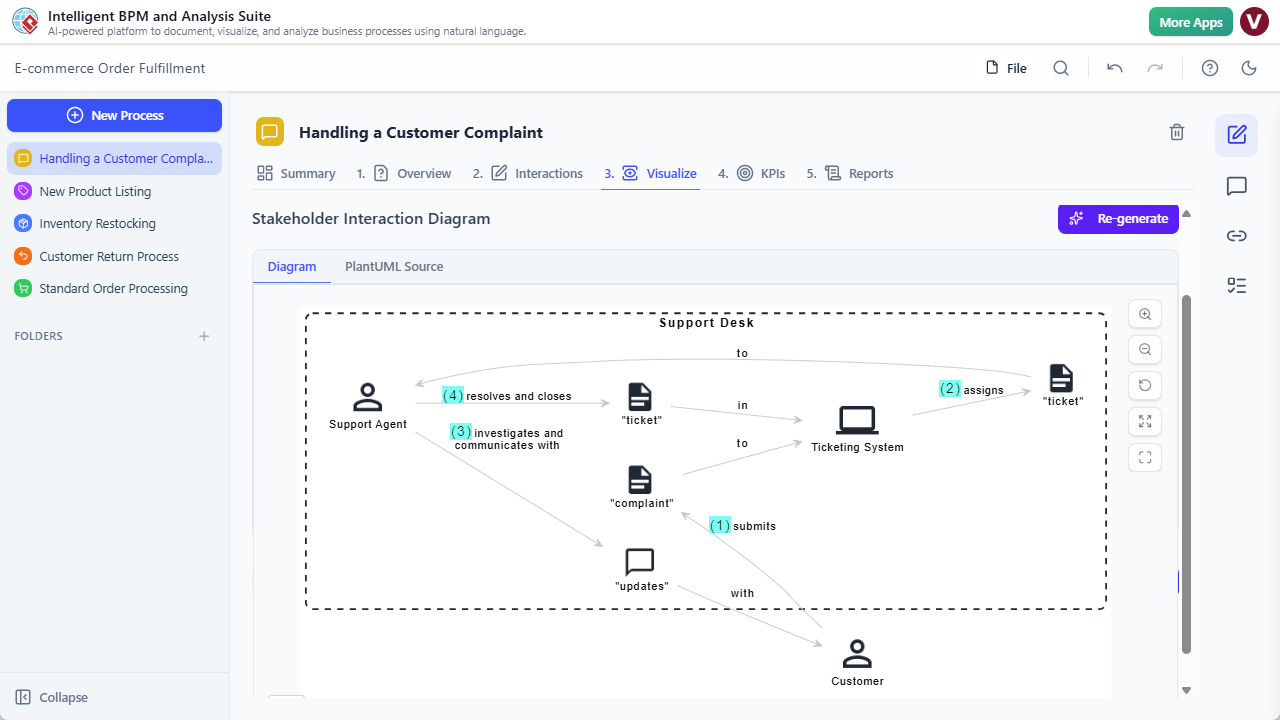
Instant Collaboration Maps
See How Your Team Works Together Describe your process like a story, and AI automatically builds a diagram showing how your team interacts. It’s a crystal-clear visual that shows exactly how different departments and people work together.
Clean & Organized Workspace
Everything in Its Place Manage all your processes in a sleek side pane. Organize your work into folders by department, project, or scope. With one click, you can jump between different processes and stay focused.
Action Management Made Simple
Turn Plans into Reality A plan is only good if it gets done. Our clean, tabular interface lets you list and manage every action item needed to improve your process. Keep your “to-be” state on track without the clutter.
Purpose and Benefits
The Intelligent BPM and Analysis Suite empowers organizations to achieve operational excellence by providing tools for comprehensive process management and insightful analytics.
- Process Modeling: Design and document business processes using BPMN standards.
- Performance Monitoring: Track key performance indicators (KPIs) in real-time.
- Root Cause Analysis: Identify and resolve process inefficiencies with integrated analysis tools.
- Simulation & Optimization: Test process changes and optimize workflows before implementation.
- Reporting & Dashboards: Generate customizable reports and dashboards for stakeholders.
How It Works: Step-by-Step Guide
Our suite guides you through a structured approach to BPM, from design to optimization.
Step 1: Process Discovery & Modeling
Identify, document, and model your current business processes using intuitive visual tools.
Step 2: Simulation & Analysis
Run simulations to test process changes and analyze potential impacts before implementation.
Step 3: Implementation & Execution
Deploy your optimized processes and monitor their execution with real-time tracking.
Step 4: Monitoring & Control
Continuously monitor process performance against KPIs and identify areas for improvement.
Step 5: Optimization & Improvement
Utilize analysis results to refine and improve processes, ensuring continuous operational efficiency.
Watch this video tutorial to see the Intelligent BPM and Analysis Suite in action:
Use Cases
- Business Analysts: Model, simulate, and optimize complex business processes.
- Process Owners: Gain full visibility and control over their departmental processes.
- IT Managers: Align business processes with IT systems and automation initiatives.
- Consultants: Provide expert analysis and solutions for process improvement projects.
Tips & Best Practices
- Start with a clear definition of process scope and objectives.
- Involve all key stakeholders in the process modeling and analysis phases.
- Continuously monitor and iterate on processes for ongoing improvement.