DB Modeler AI
From Problem Description to Interactive SQL Playground in 7 AI-Powered Steps
Experience the Power of DBModeler AI
Transform your database design process with AI-powered assistance
DBModeler AI transforms plain English requirements into production-ready database schemas. Bridge the gap between concepts and code through an interactive, AI-guided journey-from initial idea to fully-normalized, visualized, and tested schema, all in one seamless web application.
A guided approach to database design
Most tools leave you staring at a blank screen and hope for the best. DBModeler AI is different. We don’t just help you draw; we walk you through a step-by-step professional process to make sure your database is built right from the very start.
Test Drive Your Database
Changing your database after you've started coding is a nightmare. With DBModeler AI, you can stop worrying. Our Playground lets you 'try out' your design first, so you know it works perfectly before you commit to the final version.
Your AI-Powered Journey
Building a database used to mean hours of manual typing, drawing boxes, and double-checking rules. DBModeler AI changes the game by putting an AI expert right by your side at every step.
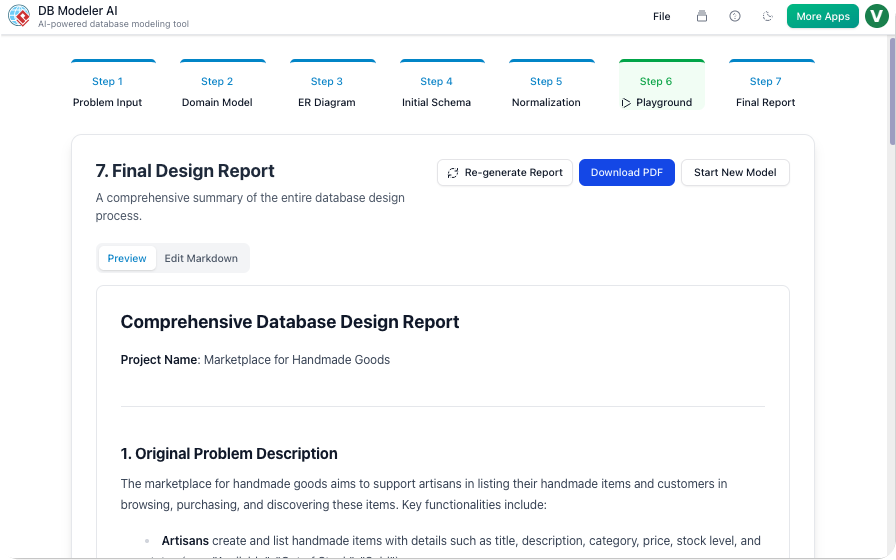
AI-Generated Summary Report
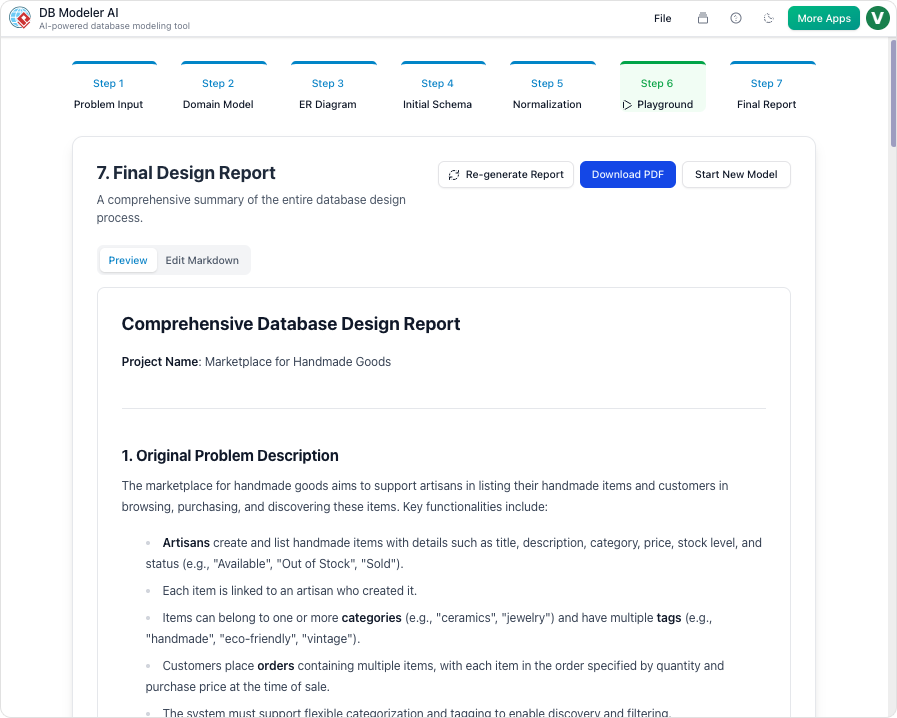
Finishing your design is just the beginning. To help you actually build your application, DBModeler AI generates a comprehensive AI Summary Report. Think of it as a custom “instruction manual” for your specific database.
Purpose and Benefits
Design, normalize, visualize, and test databases faster than ever. DBModeler AI combines expert guidance, visual diagramming, and live SQL testing so you control every step, with AI as your co-pilot.
- AI-Driven Architecture: Move from app idea to comprehensive technical requirements in natural language.
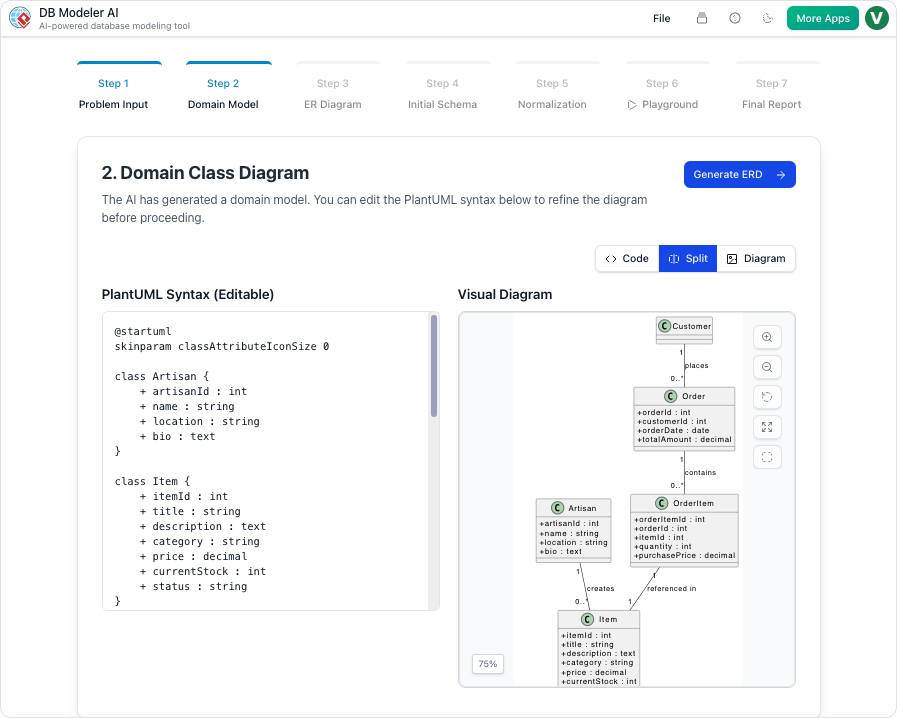
- Multi-Level Diagramming: Generate and edit PlantUML domain class diagrams and detailed ER diagrams automatically.
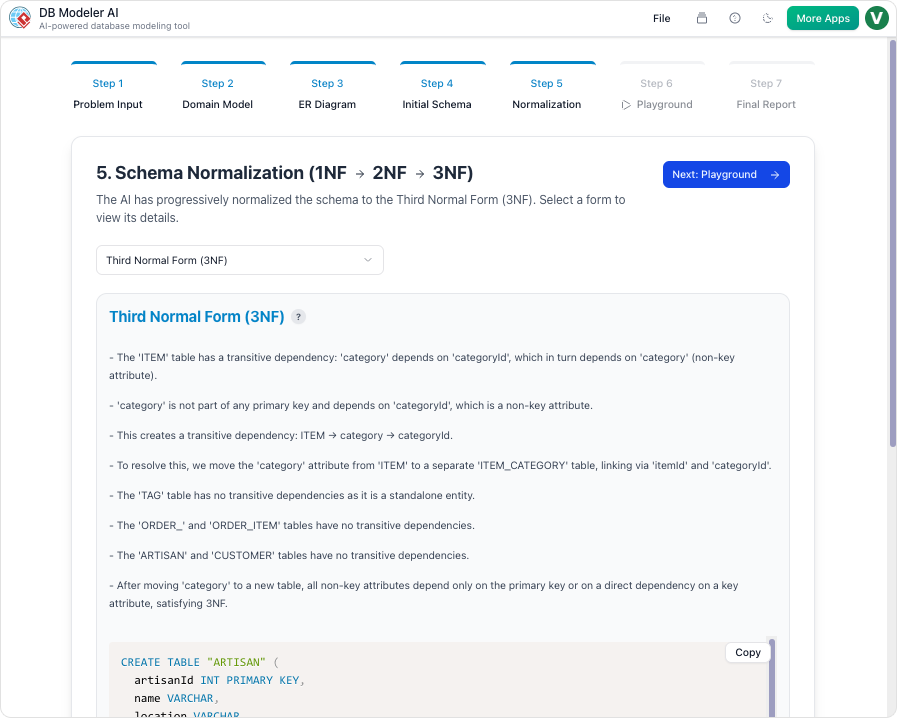
- Stepwise Normalization: See your schema progress through 1NF, 2NF, and 3NF, with educational explanations and redundancy elimination.
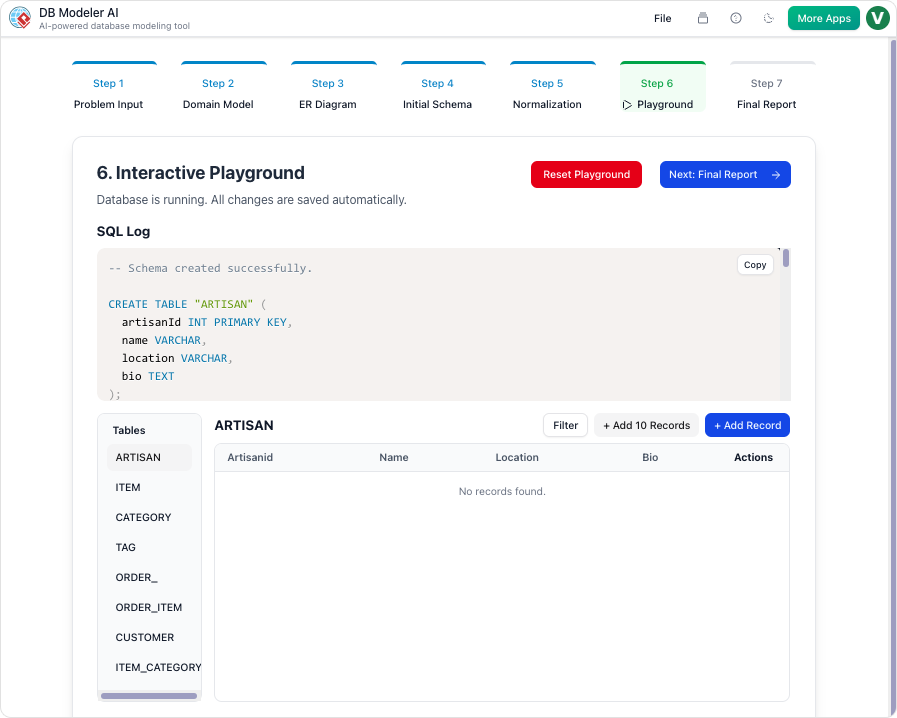
- Live SQL Playground: Test your schema instantly-no installation required-and run queries against realistic, AI-seeded sample data.
- Full Control: Edit diagrams, SQL, and documentation in real time. Export to PDF or JSON for sharing or integration.
How It Works: Step-by-Step Guide
With DBModeler AI, your ideas become fully-operational databases in seven intuitive steps.
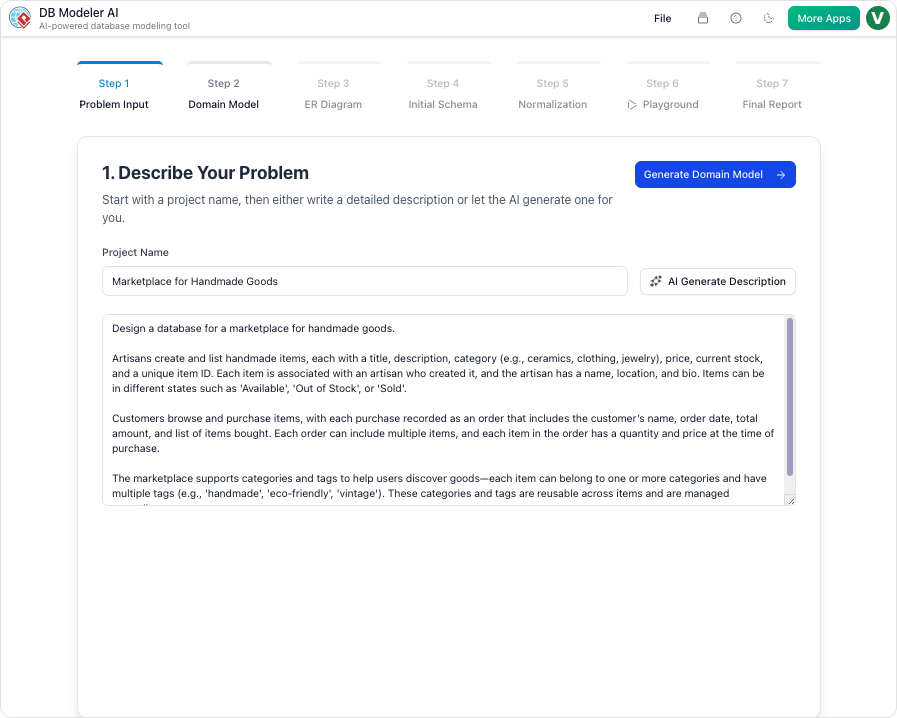
Step 1: Problem Input
Describe your application in plain English. The AI expands your concept into detailed technical requirements.
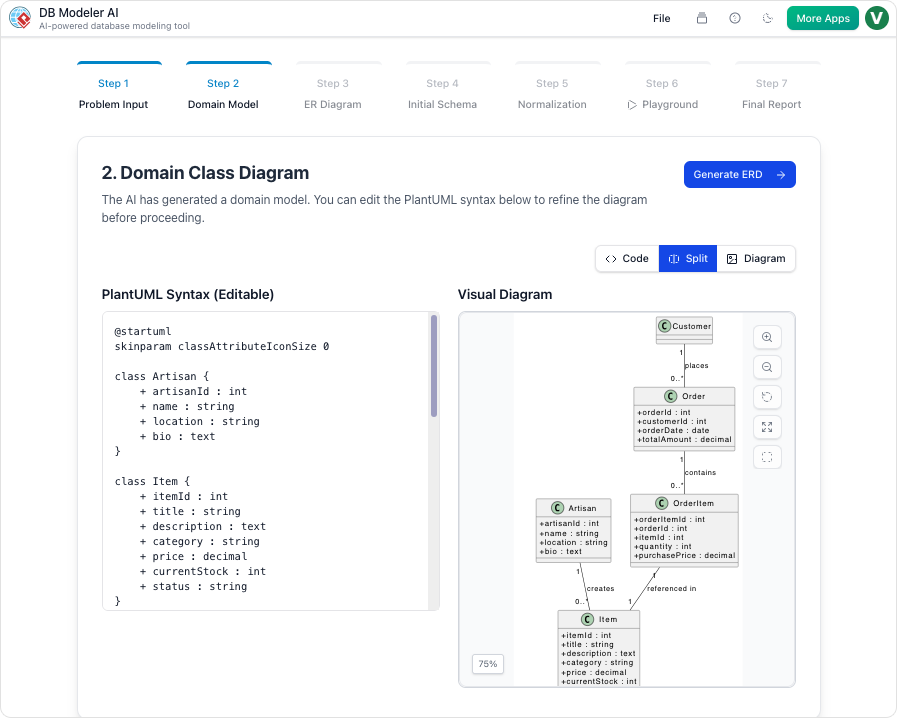
Step 2: Domain Class Diagram
Visualize high-level objects and their attributes in an editable PlantUML diagram.
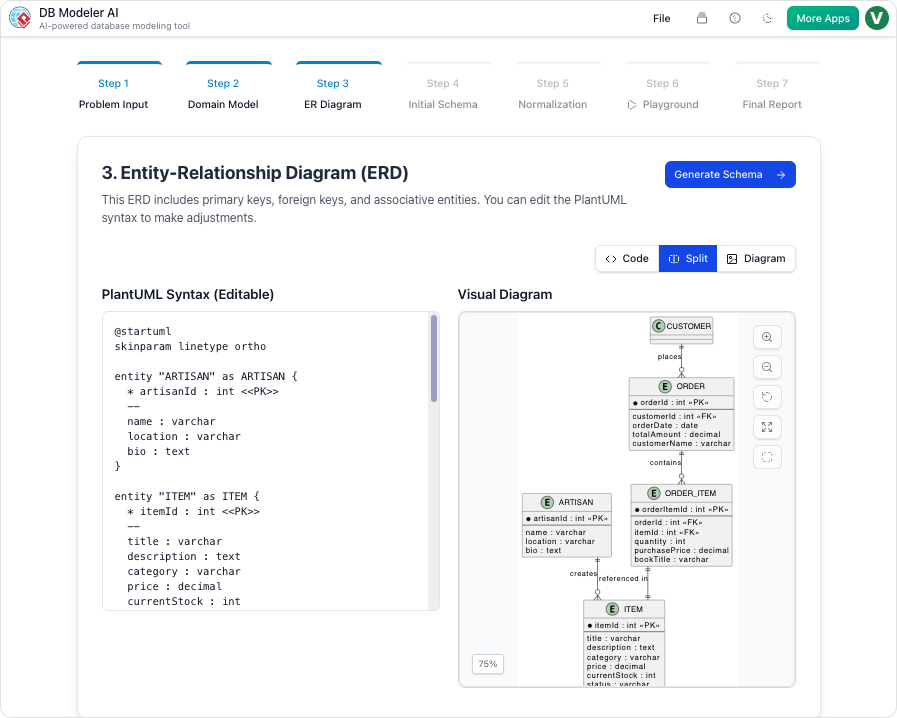
Step 3: ER Diagram
Convert your domain model into a database-specific ER diagram, defining keys and relationships.
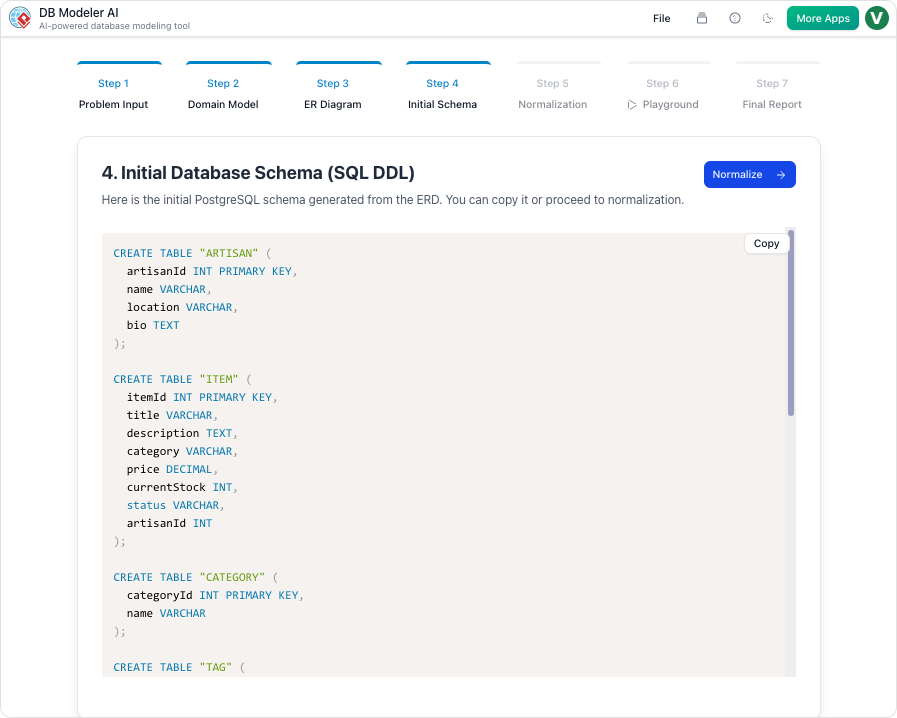
Step 4: Initial Schema Generation
Translate your ER diagram into PostgreSQL-compatible SQL DDL statements.
Step 5: Intelligent Normalization
Progressively optimize your schema from 1NF to 3NF, with AI-powered rationales for every change.
Step 6: Interactive Playground
Experiment with your schema in an in-browser SQL client, seeded with realistic AI-generated data.
Step 7: Final Report and Export
Export all diagrams, documentation, and SQL scripts as a polished PDF or JSON package.
Watch this video tutorial to see DBModeler AI in action:
Use Cases
- Developers: Bootstrap and validate the database layer for side projects in minutes.
- Students: Learn relational modeling and normalization interactively, with instant feedback.
- Product Managers: Turn business requirements into concrete technical specs and ERDs for handoff.
- System Architects: Rapidly prototype and document complex data relationships visually.
Tips & Best Practices
- Iterate on requirements and diagrams to refine structure before generating your schema.
- Use AI explanations in normalization steps as learning tools for best practice design.
- Test your schema thoroughly with dummy data before exporting to production environments.