AI Chatbot for Visual Modeling
Transform ideas into visuals, instantly with AI diagram generation. Core component of the Visual Paradigm AI Ecosystem for natural, diagram-driven conversations.
Experience the Power of AI Chatbot
Transform your ideas into beautiful diagrams in seconds
Core Capabilities & Chat Experience
Discover how our dynamic interface upgrades your diagramming and content documentation workflow.
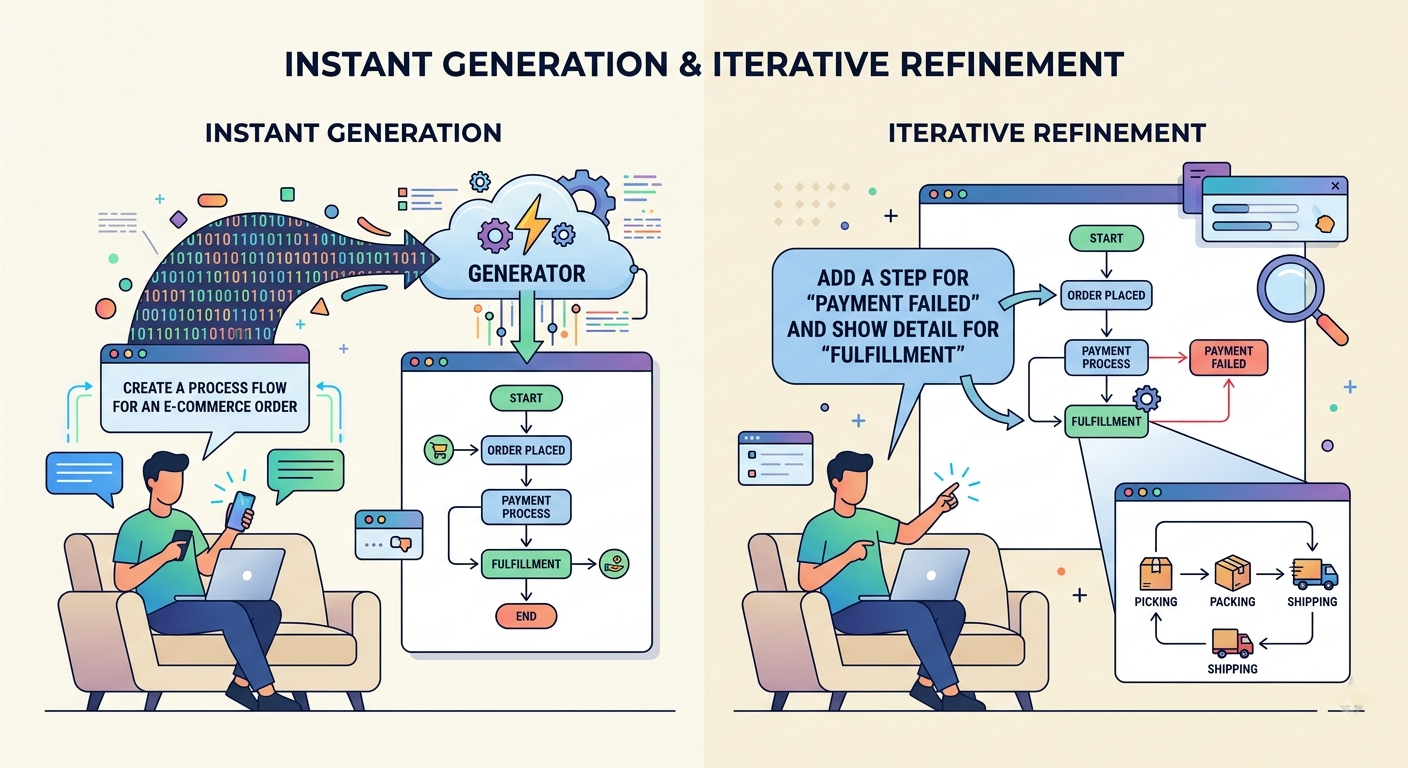
Instant Generation & Iterative Refinement
Convert natural language problem descriptions or prompt instructions into complete diagrams. Need to make adjustments? Talk to your diagram naturally. You can easily drill down into specific shapes or components to generate highly detailed sub-diagrams.
- Text-to-diagram generation
- Dynamic diagram expansion & drill down
- Contextual model refactoring
Interactive Artifacts Pane & Session Tools
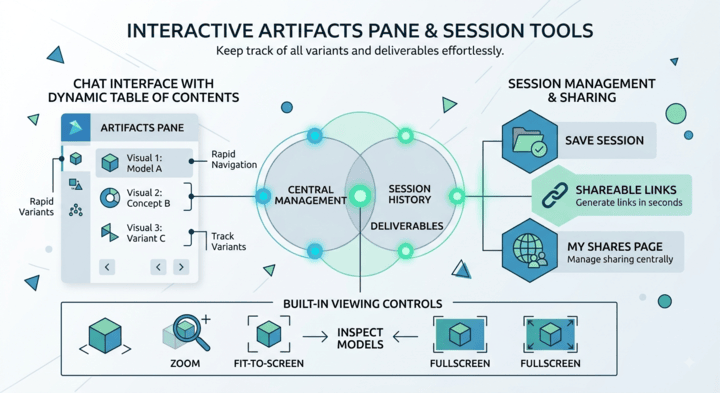
Keep track of all variants and deliverables effortlessly. The chat interface features a dynamic table of contents listing all visuals generated during your conversation for rapid navigation.
Save full sessions, manage sharing centrally via the "My Shares" page, and generate shareable links in seconds. Use built-in viewing controls to inspect models through zoom, fit-to-screen, and fullscreen modes.
Flexible Exporting & Text-Based Formats
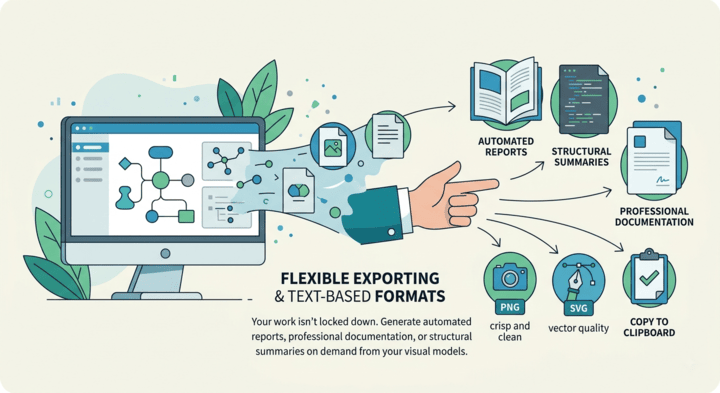
Your work isn't locked down. Generate automated reports, professional documentation, or structural summaries on demand from your visual models. Export raw layouts as crisp PNGs, vector SVGs, or copy directly to your clipboard.
Export conversations as markdown files or print summaries instantly. Built on universal open text formats (including PlantUML, Mermaid, and Graphviz), you can copy text representations directly to use inside custom AI pipelines.
Bring Your Own LLM with Custom AI Endpoints
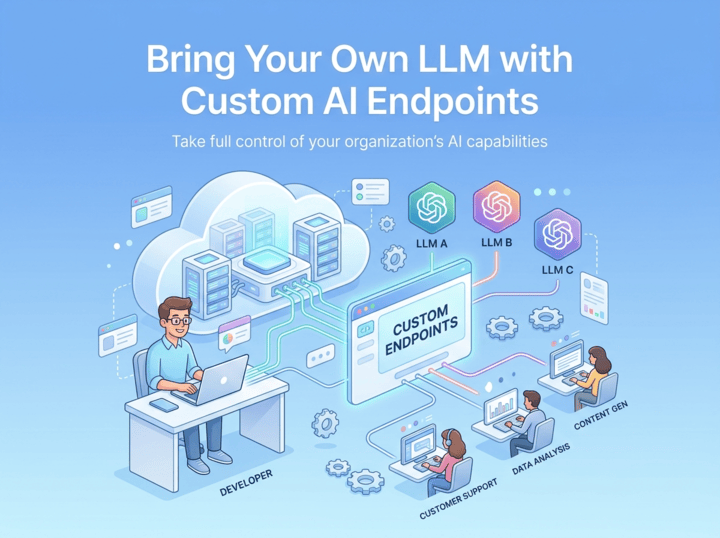
Take full control of your organization’s AI capabilities. Route Visual Paradigm’s AI features through your preferred provider, manage your own API keys, and enforce internal security, compliance, and budget policies.
A Wide Range of Supported Diagrams
While the AI generator excels at object-oriented modeling with Class Diagrams, it also supports a diverse range of notations to help you visualize system architecture, business processes, and strategic plans.
UML
SysML & ArchiMate
- Requirement Diagram
- Block Definition Diagram
- Internal Block Diagram
- ArchiMate Diagram
- ArchiMate Viewpoint-based Diagrams
C4 Model
- System Context Diagram
- Container Diagram
- Component Diagram
- Deployment Diagram
Business & Strategic
- SWOT & PEST Analysis
- BPMN
- DFD
- Flowcharts
- Org Charts
- Mind Maps
How It Works: Step-by-Step Guide
Transform your ideas into stunning diagrams with these simple steps:
Describe Your Idea
Start by typing what you want to create — for example, “Create a use case diagram for an online shopping system.” Our AI instantly understands your intent and begins visualizing your concept.
Generate Your Diagram Instantly
In seconds, your text becomes a complete, presentation-ready diagram. No templates or manual drawing required — just clear, accurate visuals.
Refine with Simple Commands
Need changes? Talk to your diagram naturally. Type commands like “Add payment gateway” or “Rename Customer to Buyer” to add, remove, or rename elements, change relationships, and refactor entire diagrams.
Explore, Document, and Share
Ask questions like “What are the main use cases?” or “Generate a project summary.” Export your work or continue refining in the Visual Paradigm desktop app for advanced collaboration.
Video tutorial coming soon!
The Power of AI Diagram Generation
Our Chatbot leverages cutting-edge AI to automate and enhance every aspect of your diagramming process.
High-Precision Generation
Powered by specialized, domain-trained AI models to deliver semantically accurate diagram structures with near-zero error rates compared to generic LLMs.
Conversational Editing & Refinement
Add, remove, or rename elements, change relationships, and refactor entire diagrams with simple commands.
Intelligent Analysis & Insights
Ask questions about your diagrams in plain English and get suggestions for design improvements and best practices.
Content & Documentation
Generate detailed reports, summaries, and professional documentation on demand from your visual models.
The AI Chatbot is a powerful cloud-based feature from VP Online, made accessible directly within your desktop software environments for unified engineering workflows.
Key Ecosystem Integrations & Desktop Sync
We've designed the AI Chatbot to work flawlessly across the entire Visual Paradigm product suite:
- Visual Paradigm Desktop Sync: Open the AI Chatbot window directly inside your desktop tool setup. If you have a VP Desktop license and subscribe to VP Online, you can interact with it smoothly.
- Direct Diagram Import: Pull generated layouts straight into offline enterprise projects. A Professional Edition license lets you import models cleanly (Note: ArchiMate diagrams require Enterprise Edition).
- Shared Workspaces: Everything is synchronized to a single Visual Paradigm account cloud workspace. No complex manual file transfers are required to switch interfaces.
- OpenDocs & VPasCode Bridge: Export completed charts instantly to Visual Paradigm OpenDocs for deep documentation or pass diagram-as-code scripts to VPasCode for code-level text adjustments.
- VP Online Export: Move smoothly from basic conversational ideas straight into VP Online’s drag-and-drop feature environment for traditional formatting edits.
Licensing & Availability
A free evaluation trial is available. Full access is included natively inside subscriptions for VP Online (Deluxe Edition) and VP Desktop (Professional Edition or higher).
A Universe of Diagrams at Your Fingertips
Our AI diagram generation supports a wide range of representations: UML, SysML, Enterprise Architecture (ArchiMate, C4), Strategy Models (SWOT, PESTLE, Ansoff, Matrix charts), Flowcharts, Mind Maps, Data Structures (ERD, JSON, DBML), and custom visualizations like Pie Charts. Here are some examples:
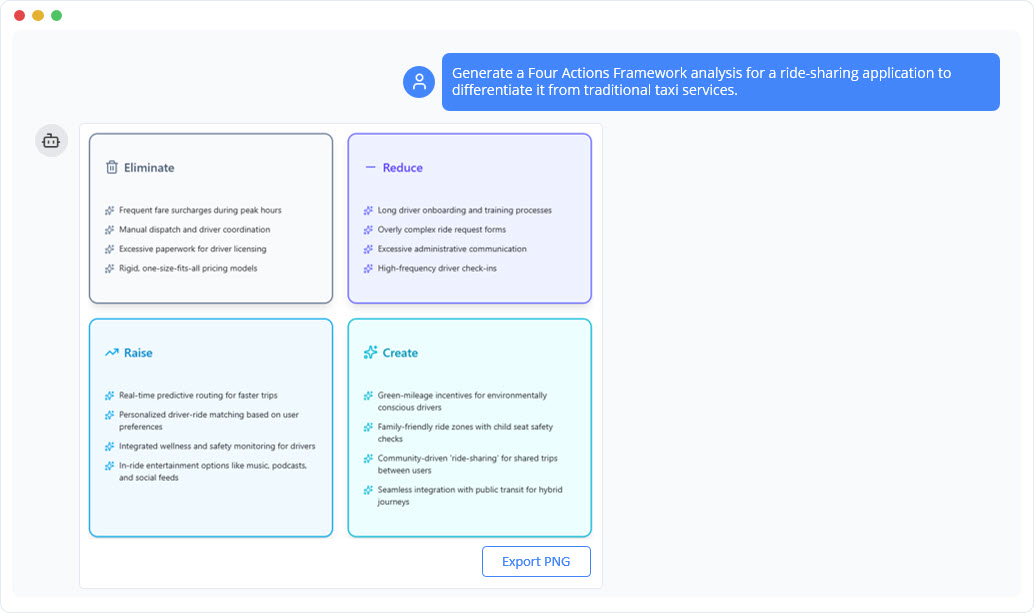
Blue Ocean Four Actions Framework
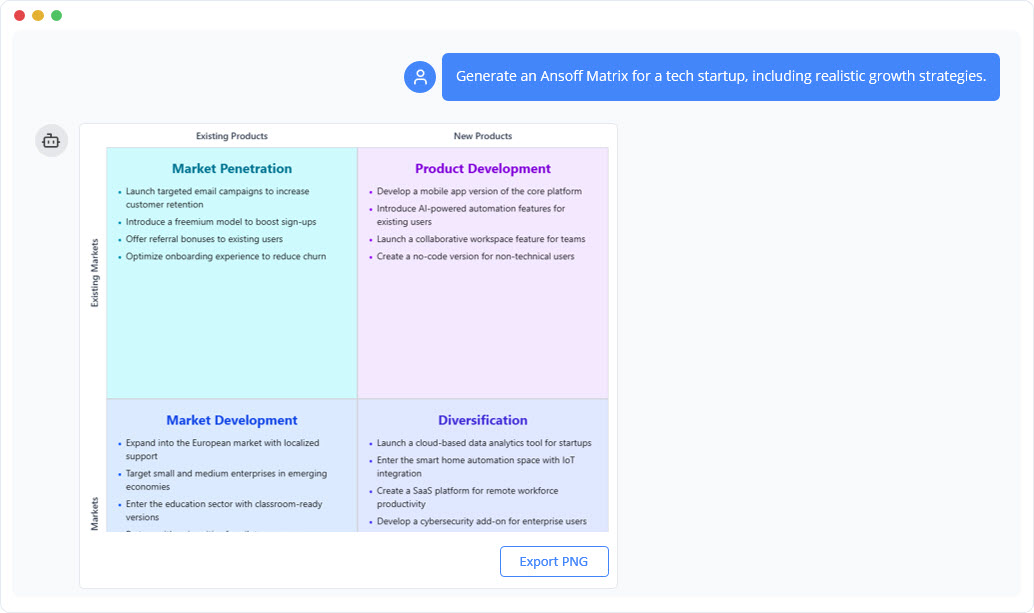
Ansoff Matrix Generator
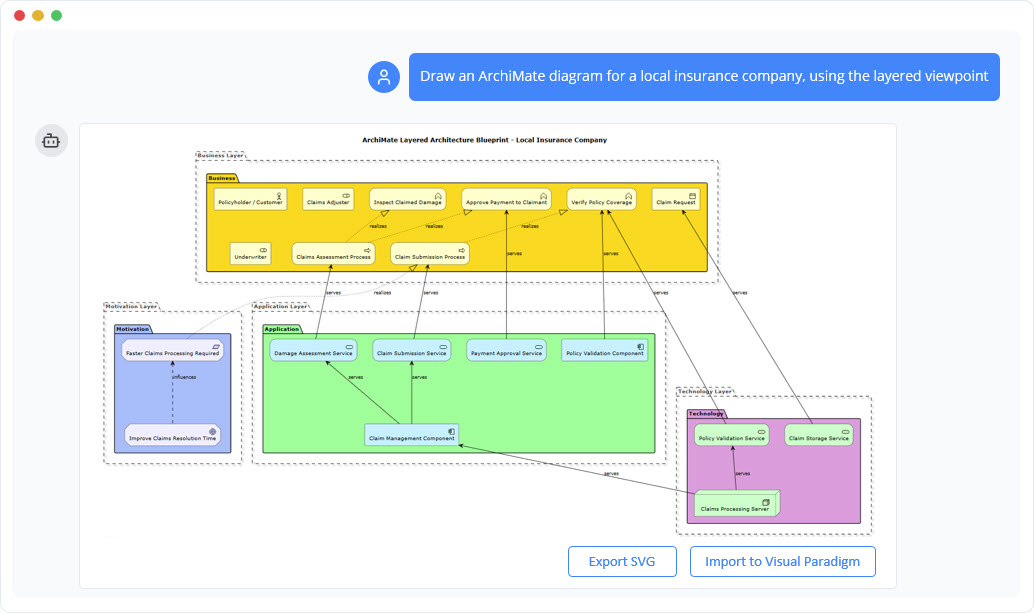
ArchiMate Diagram Generator
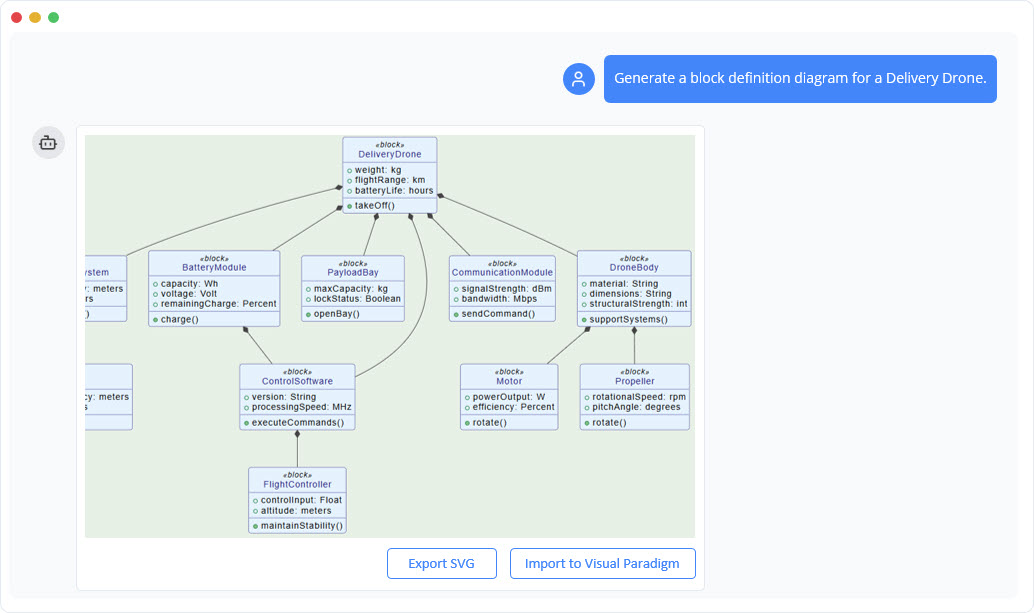
SysML Block Definition
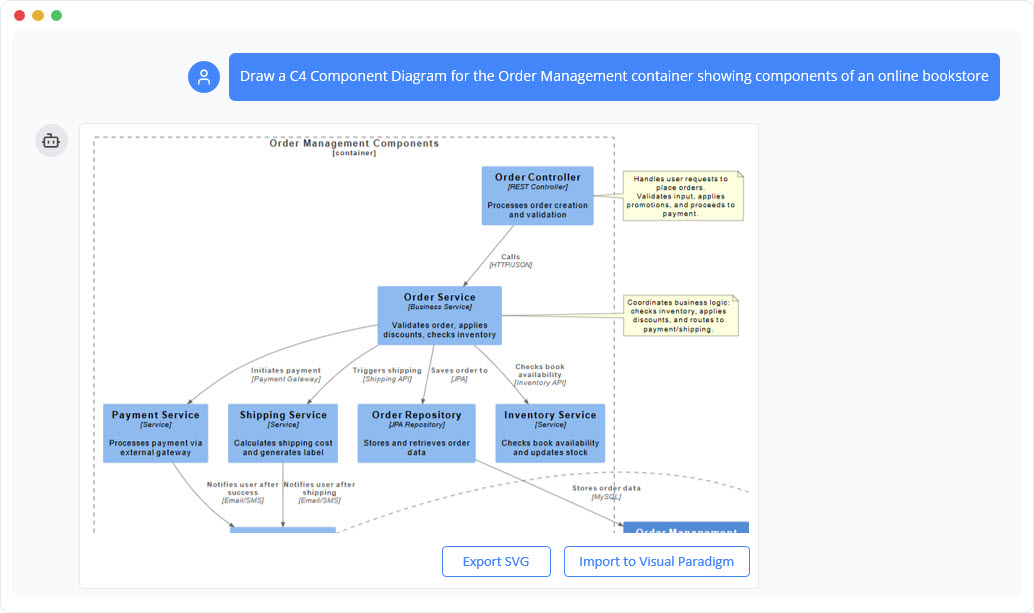
C4 Component Generator
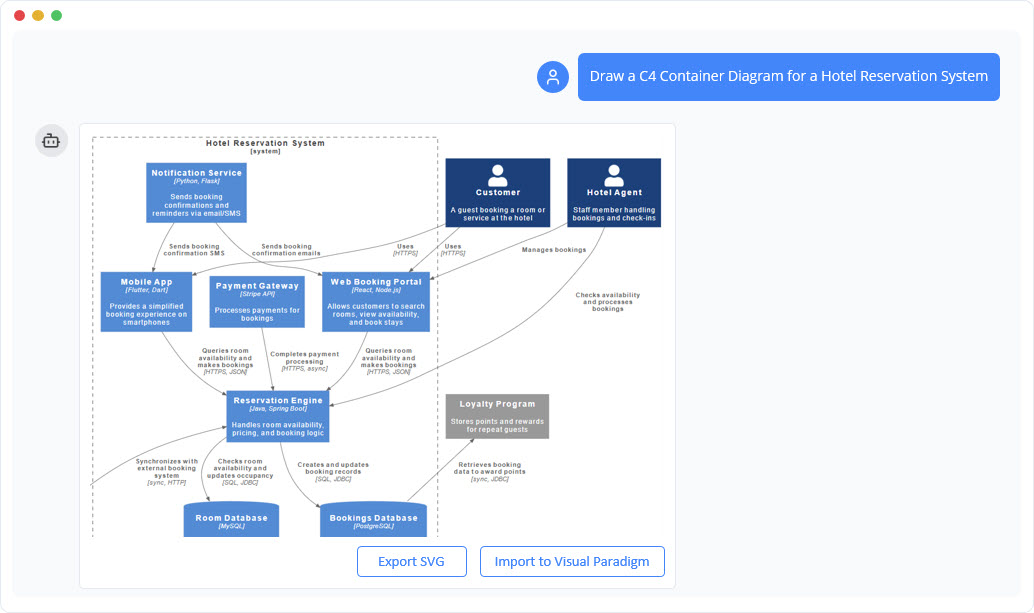
C4 Container Generator
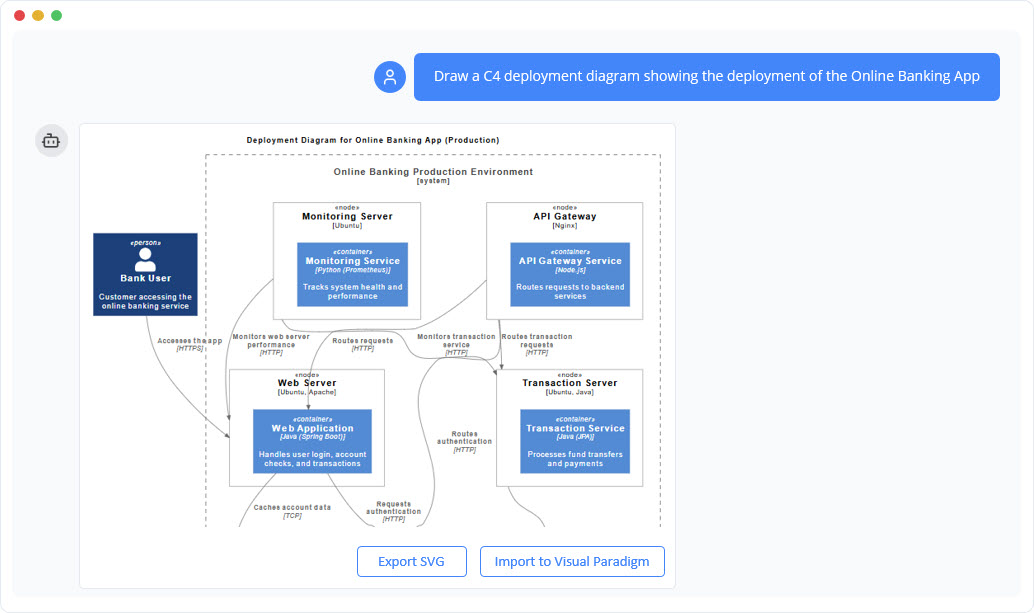
C4 Deployment Generator
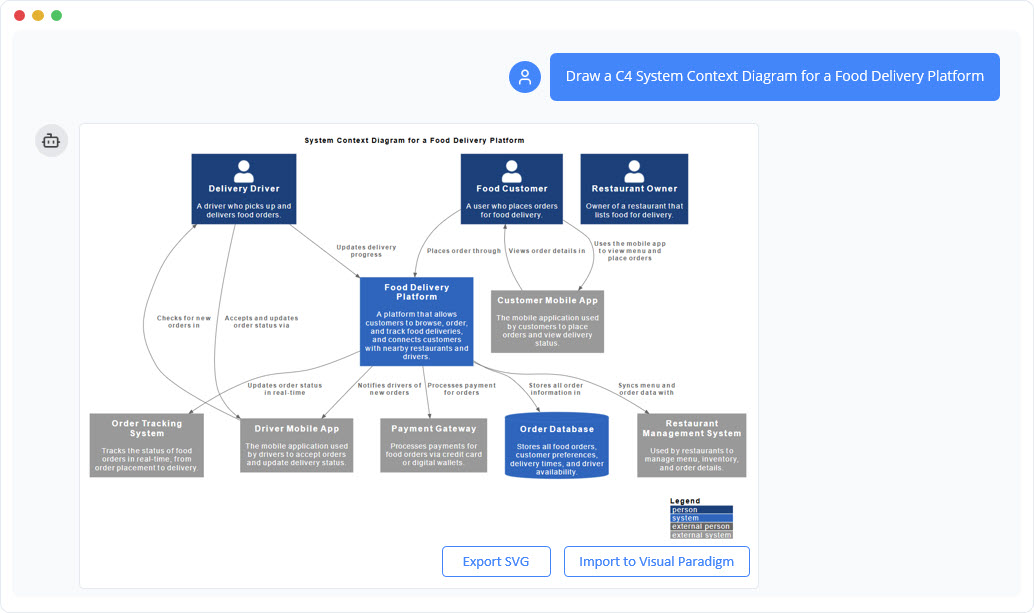
C4 System Context Generator
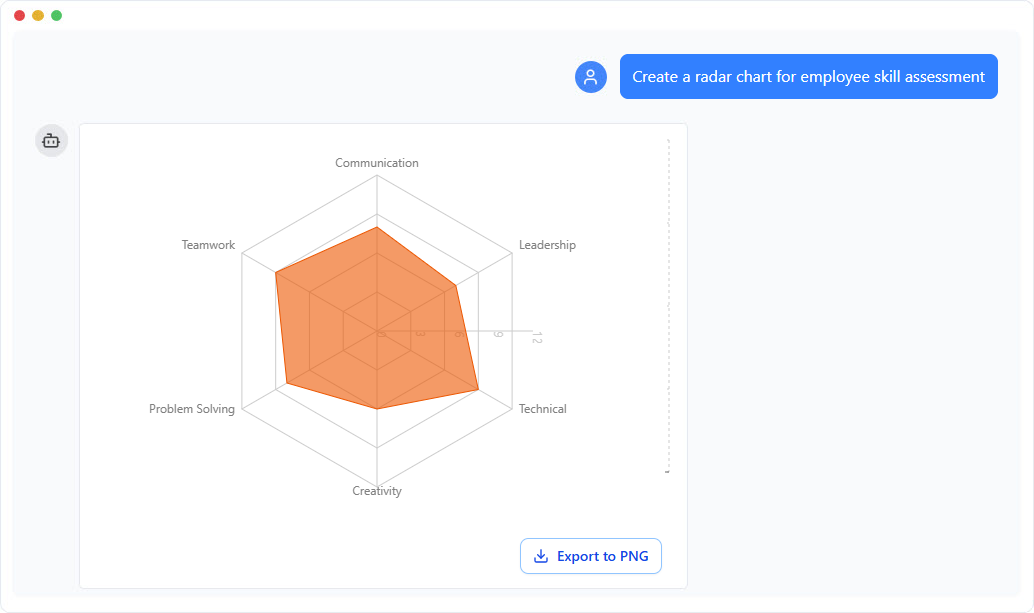
Pie Chart Generator
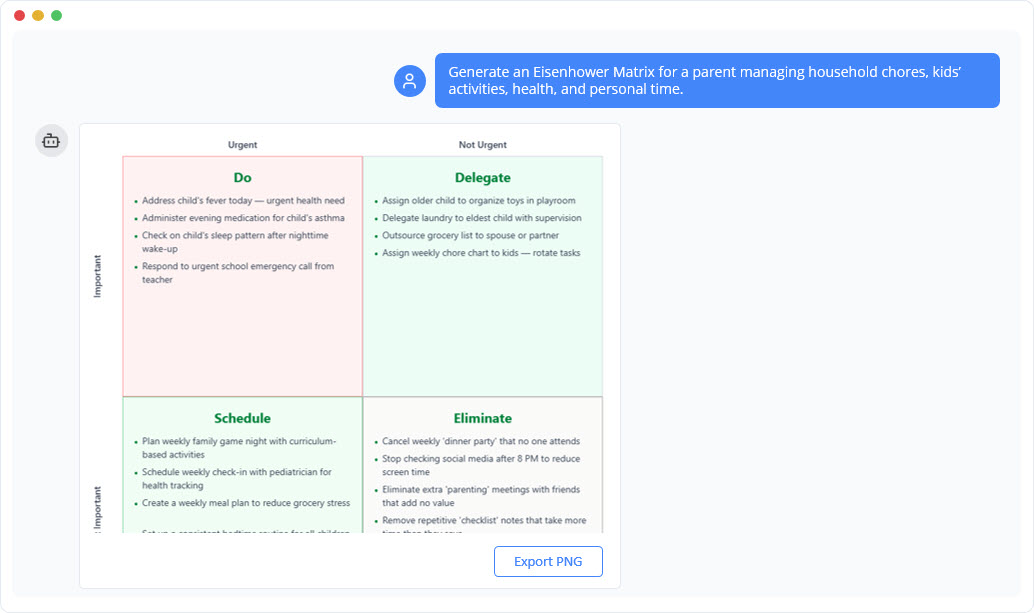
Eisenhower Matrix Generator
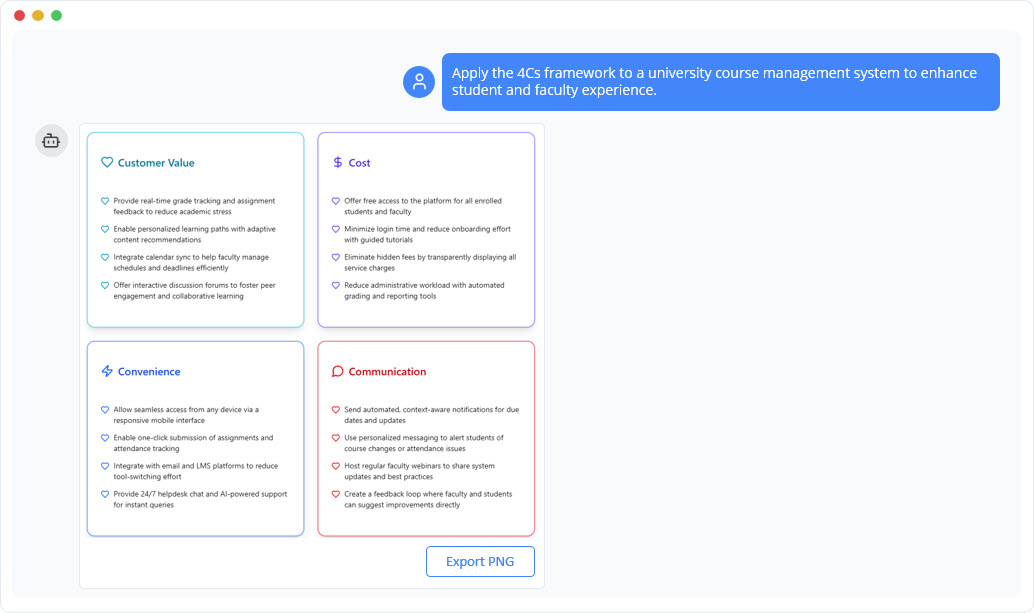
Marketing Mix 4Cs Model
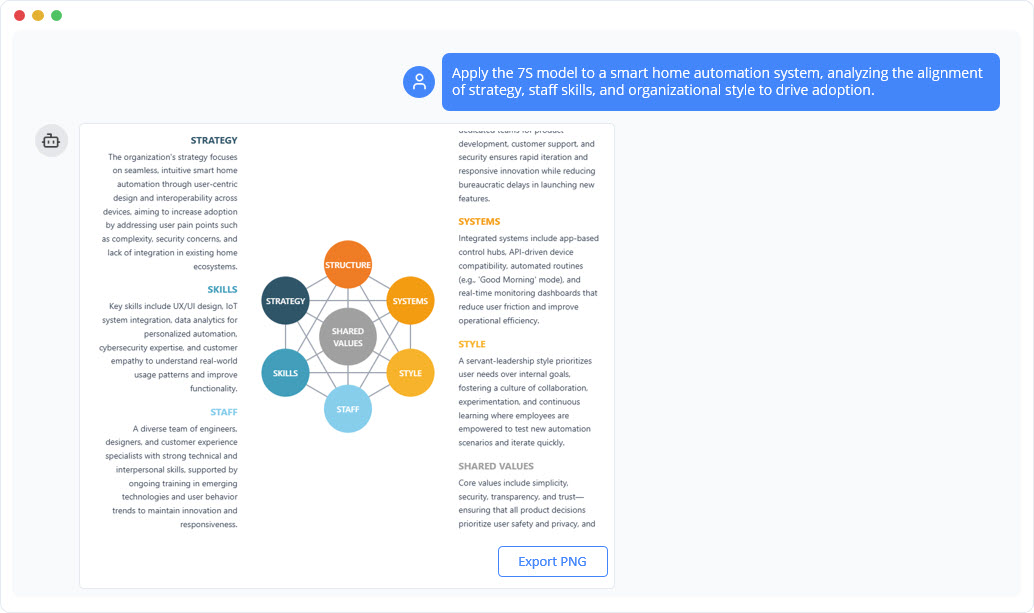
McKinsey 7S Model Generator
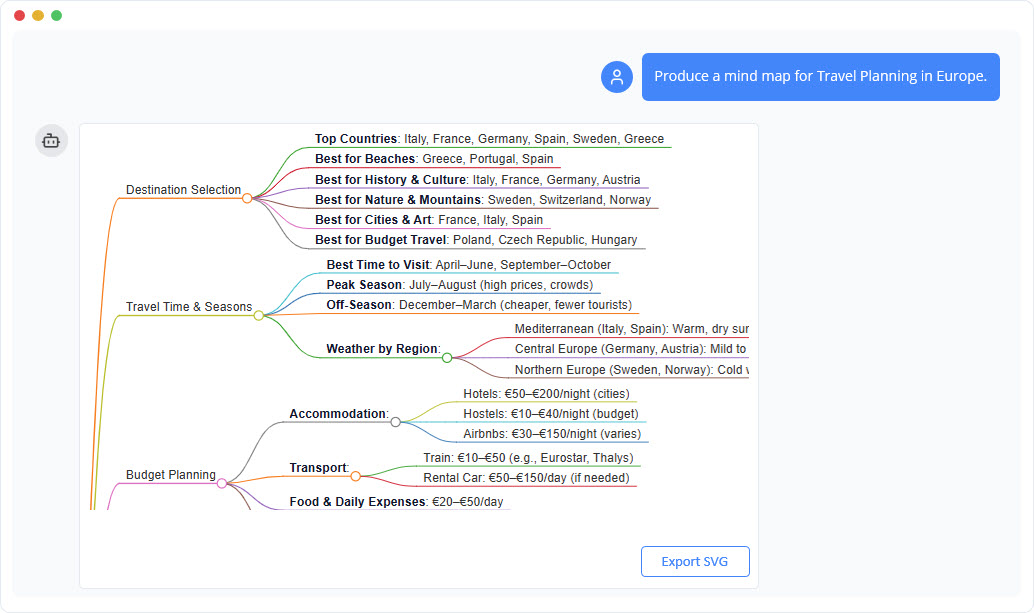
Mind Map Generator
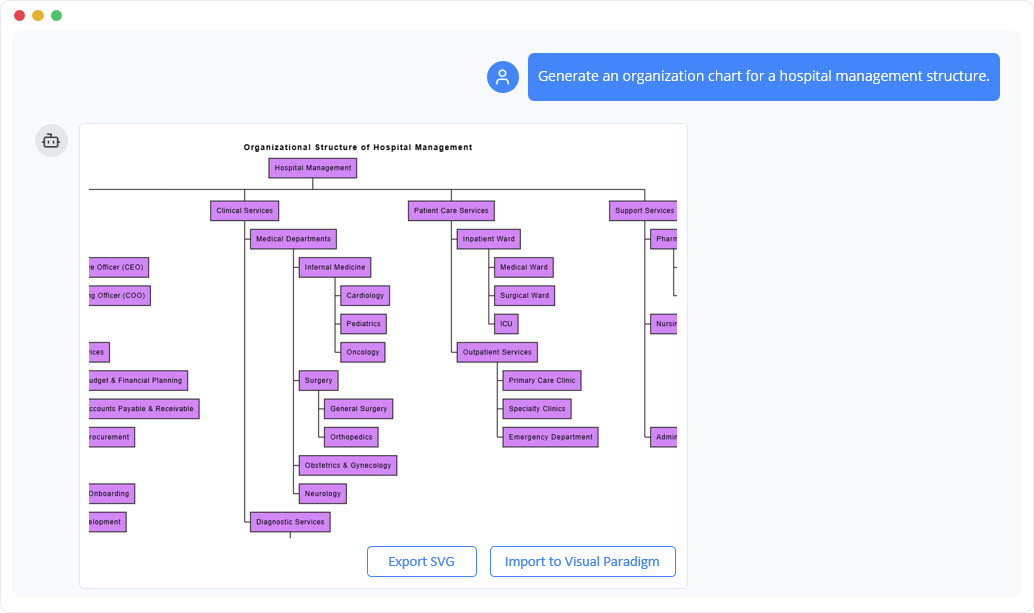
Organization Chart Generator
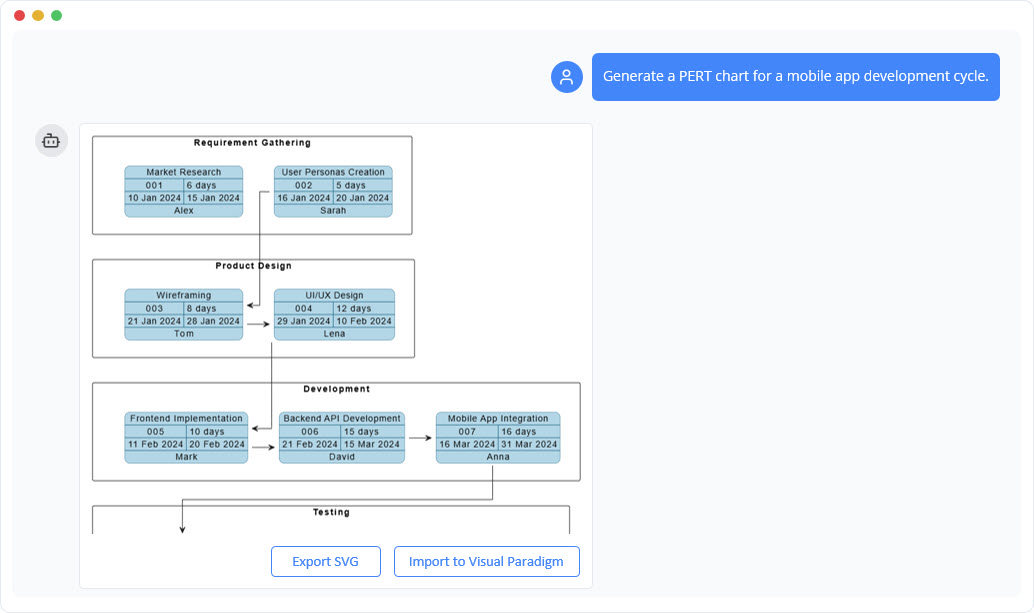
PERT Chart Generator
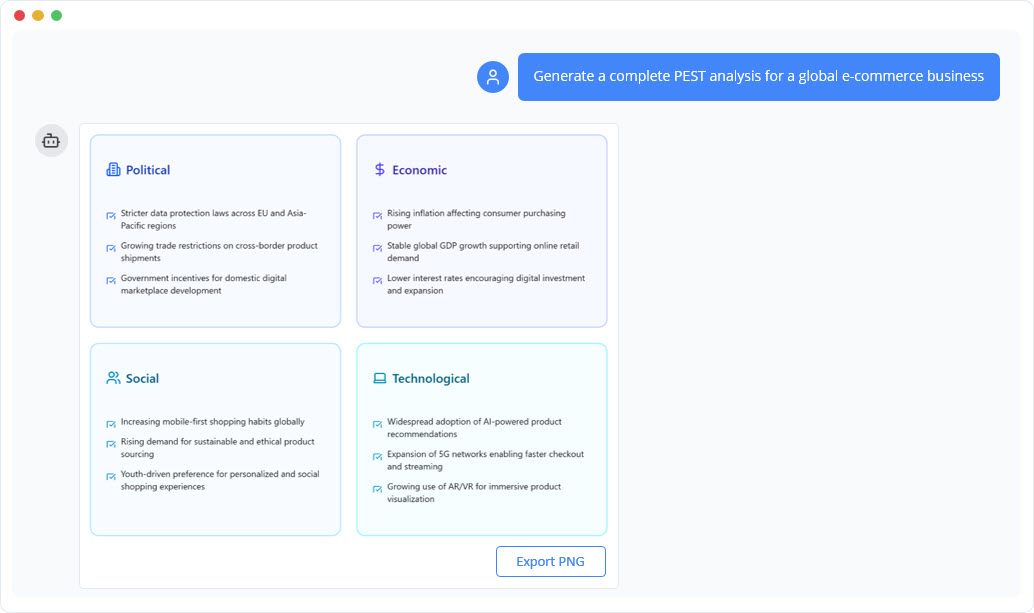
PEST Analysis Generator
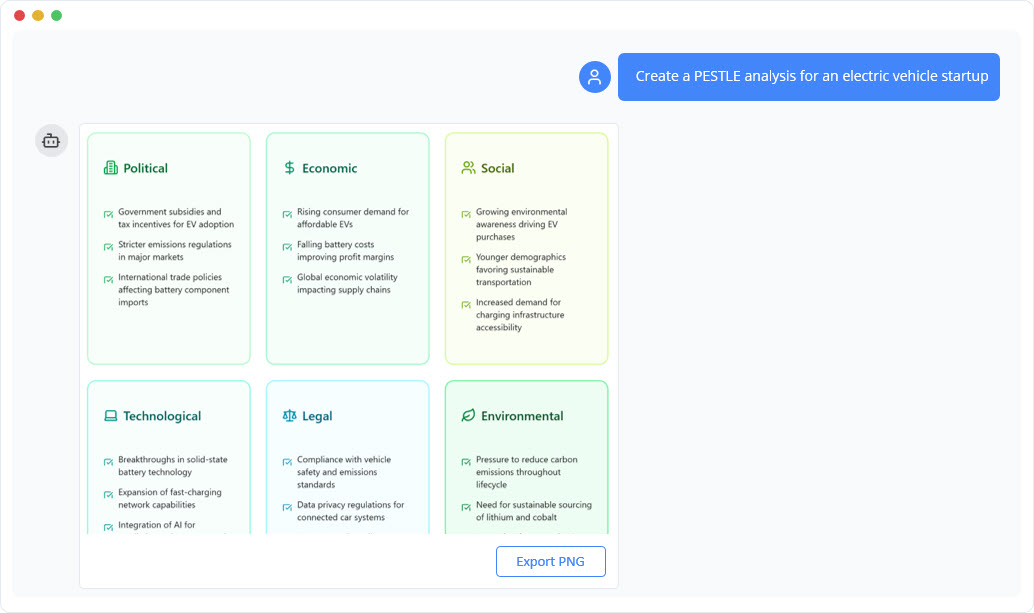
PESTLE Analysis Generator
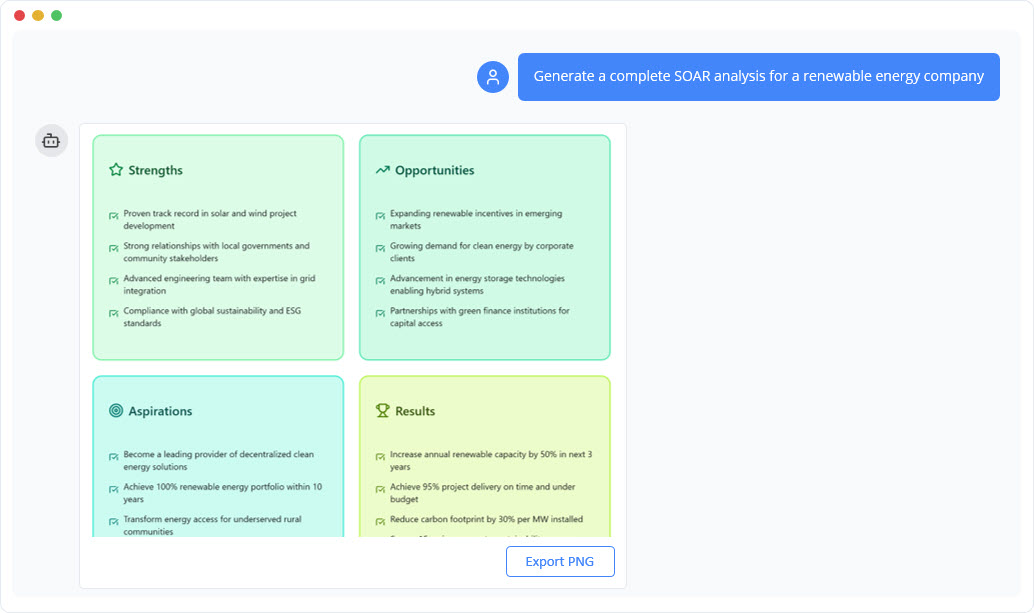
SOAR Analysis Generator
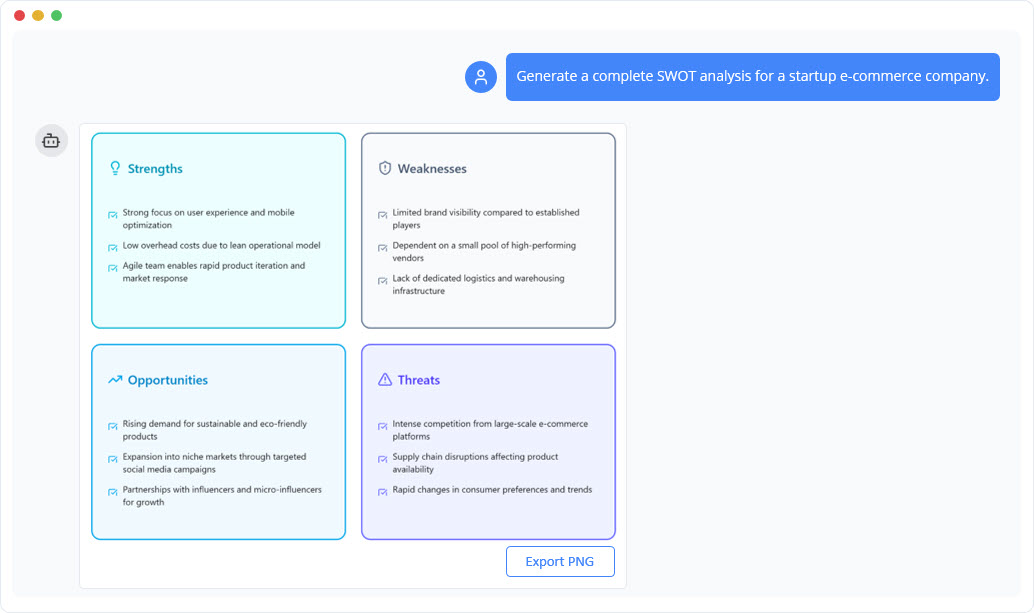
SWOT Analysis Generator
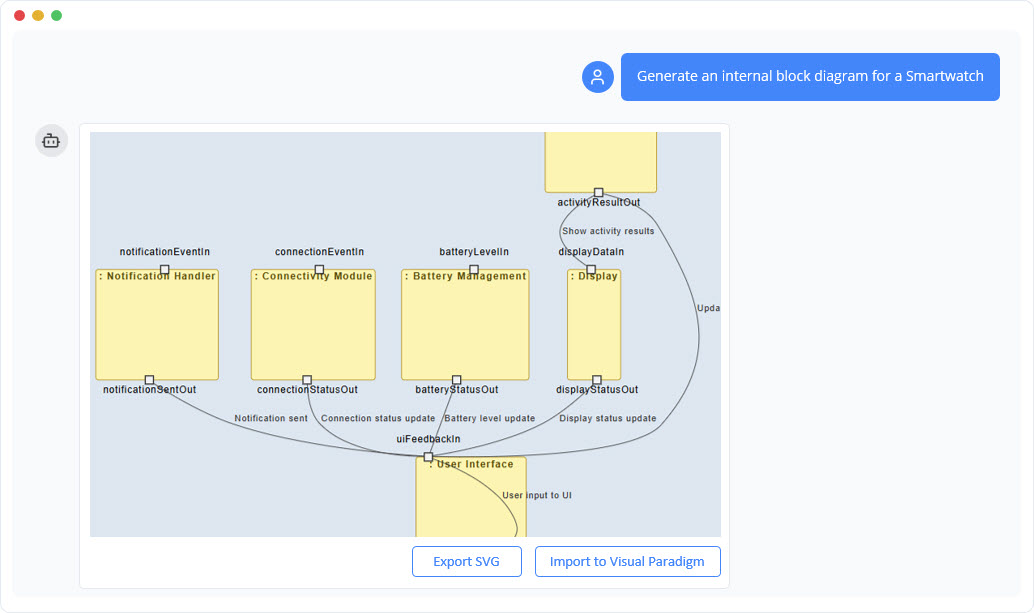
SysML Internal Block
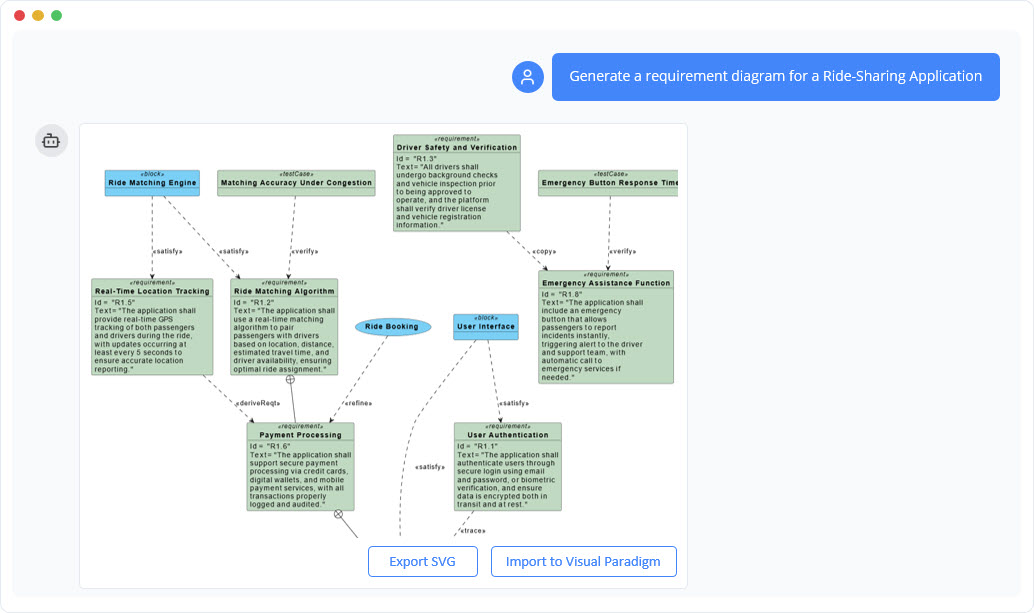
SysML Requirement Generator
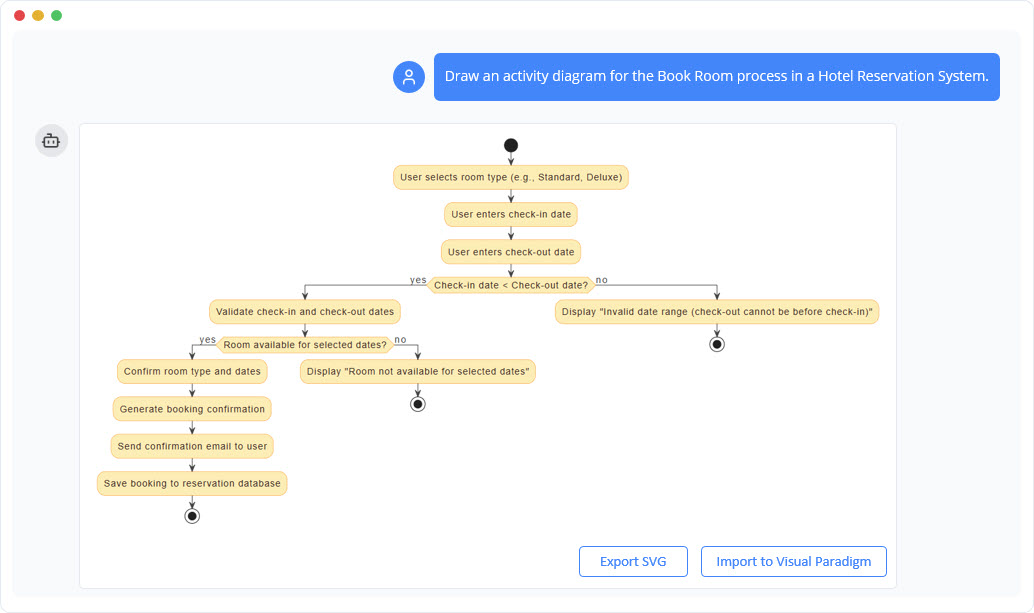
UML Activity Generator
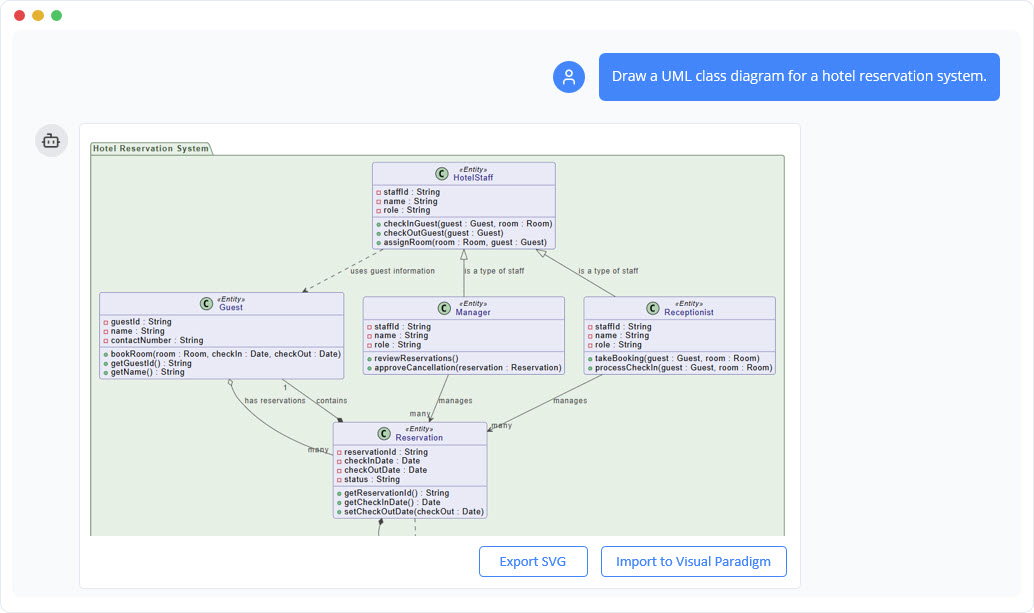
UML Class Generator
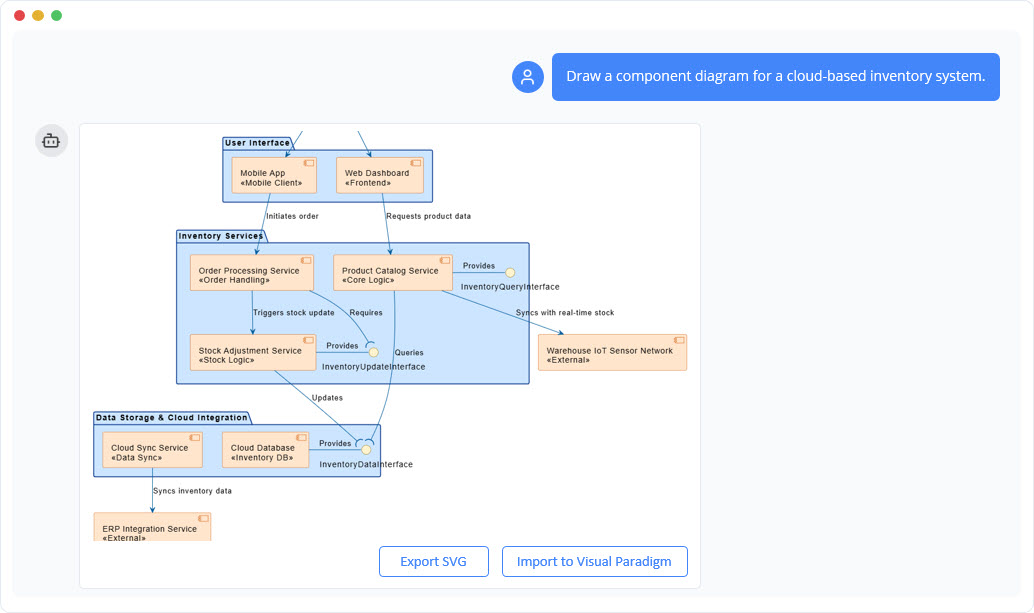
UML Component Generator
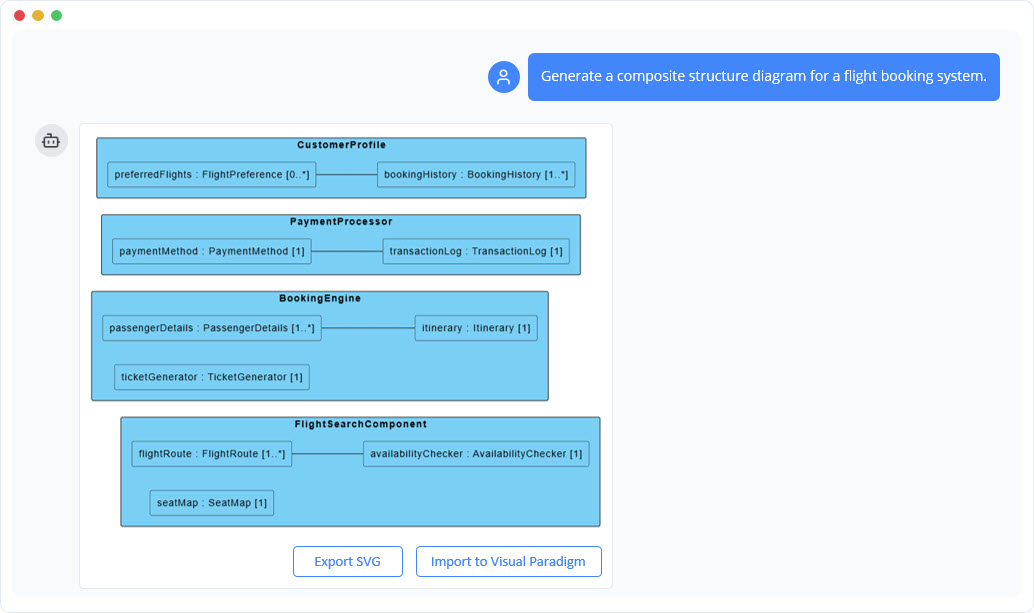
Composite Structure Generator
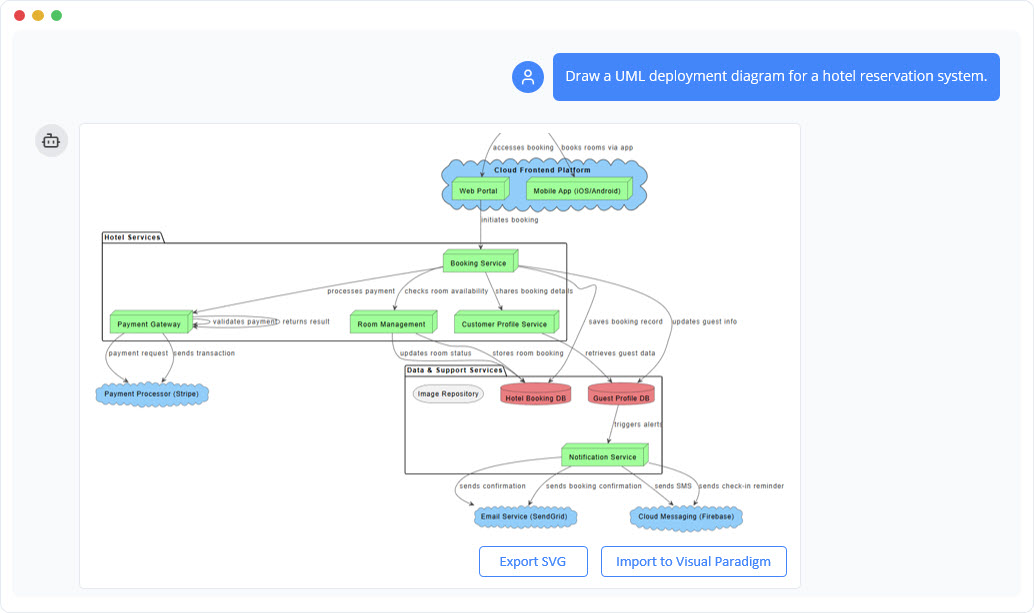
UML Deployment Generator
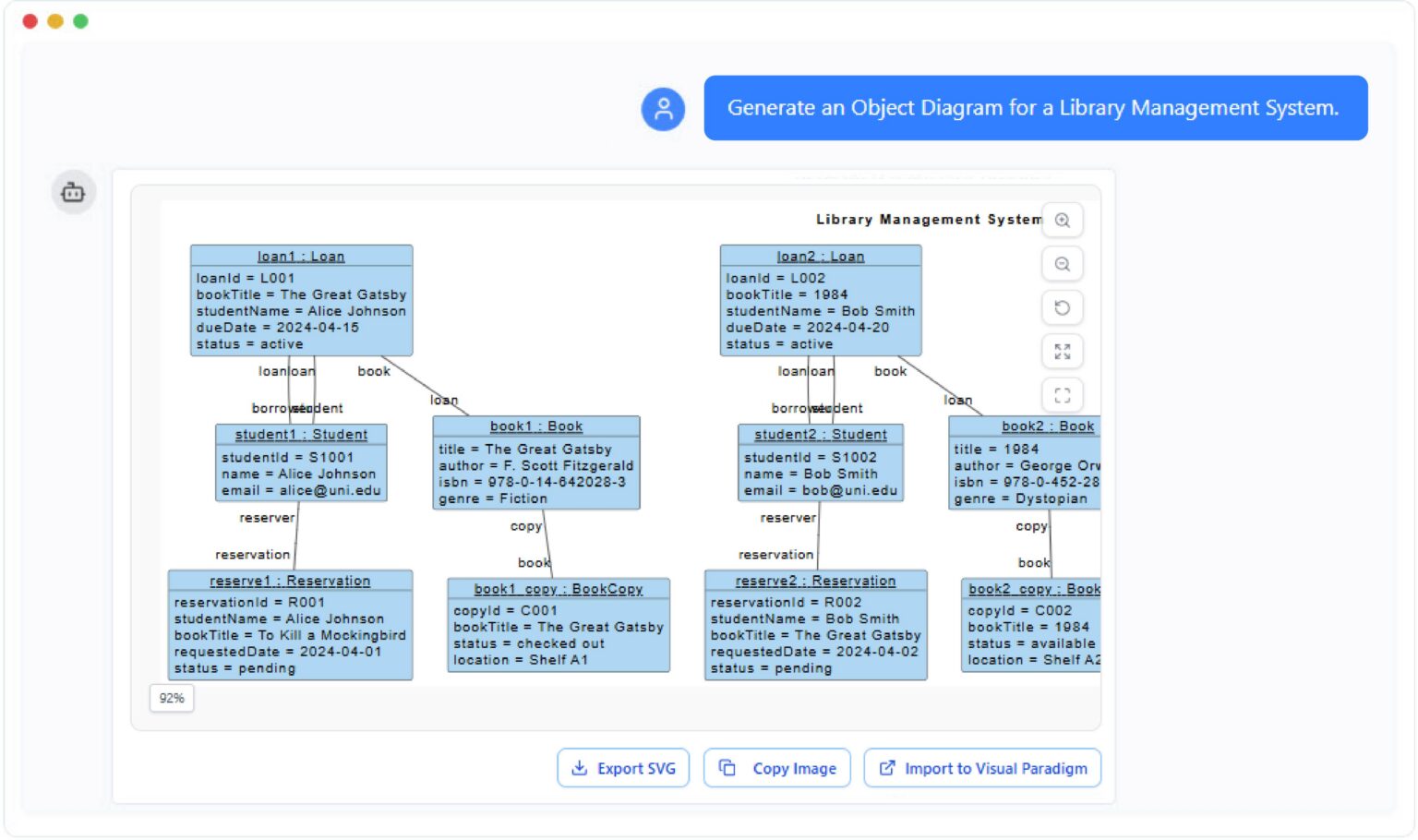
Object Diagram Generator
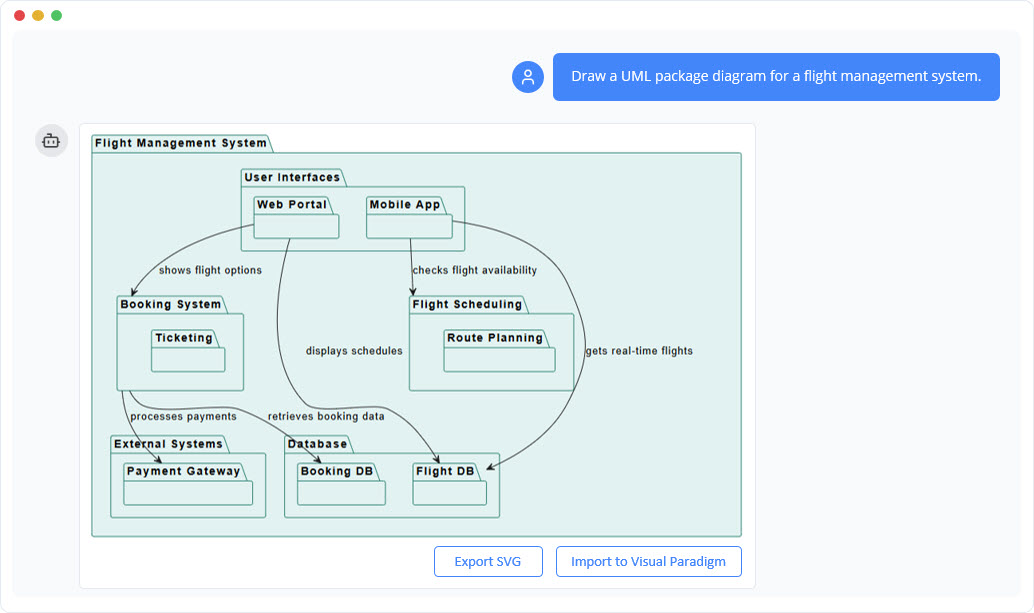
UML Package Generator
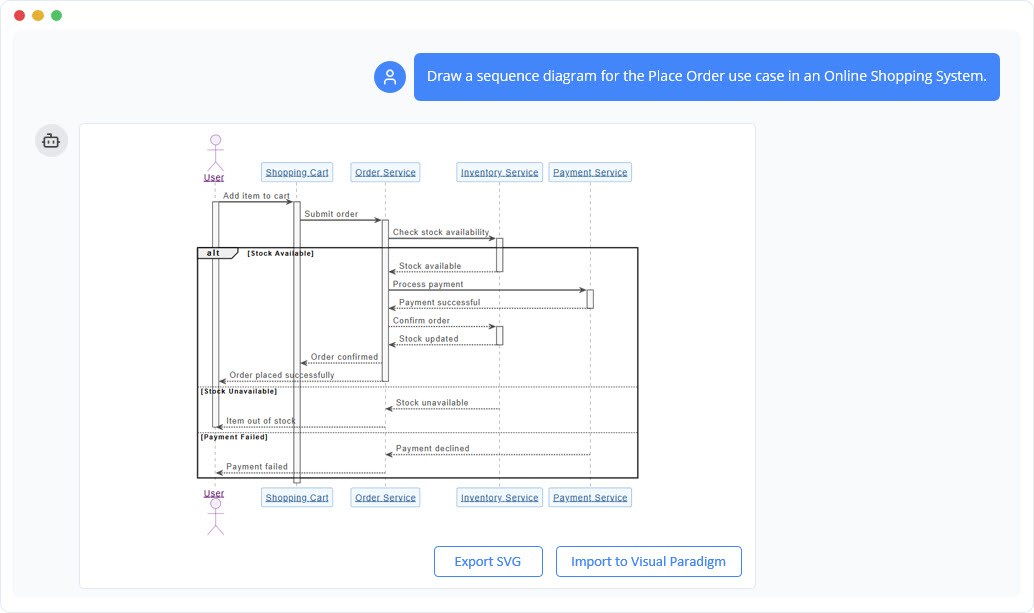
UML Sequence Generator
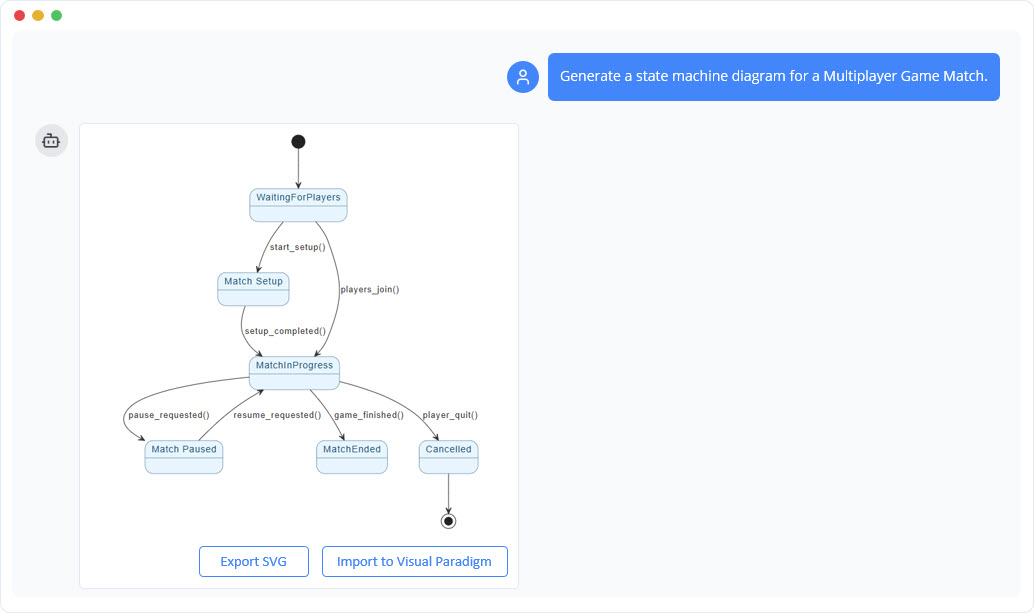
UML State Machine
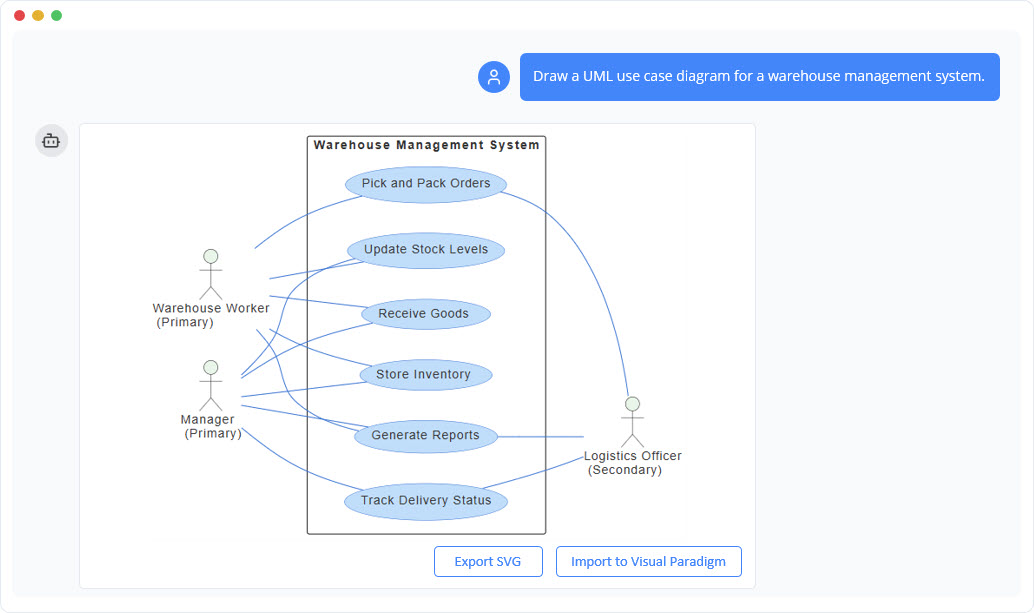
UML Use Case Generator