From Conversational AI Dialogue to Enterprise Model Refinement
Explore complex system designs through natural conversation with the AI Diagramming Chatbot. Collect generated diagrams effortlessly in the Pipeline, and export them as fully articulated model artifacts in Visual Paradigm Desktop.
Why Export AI Chatbot Outputs into Desktop Models?
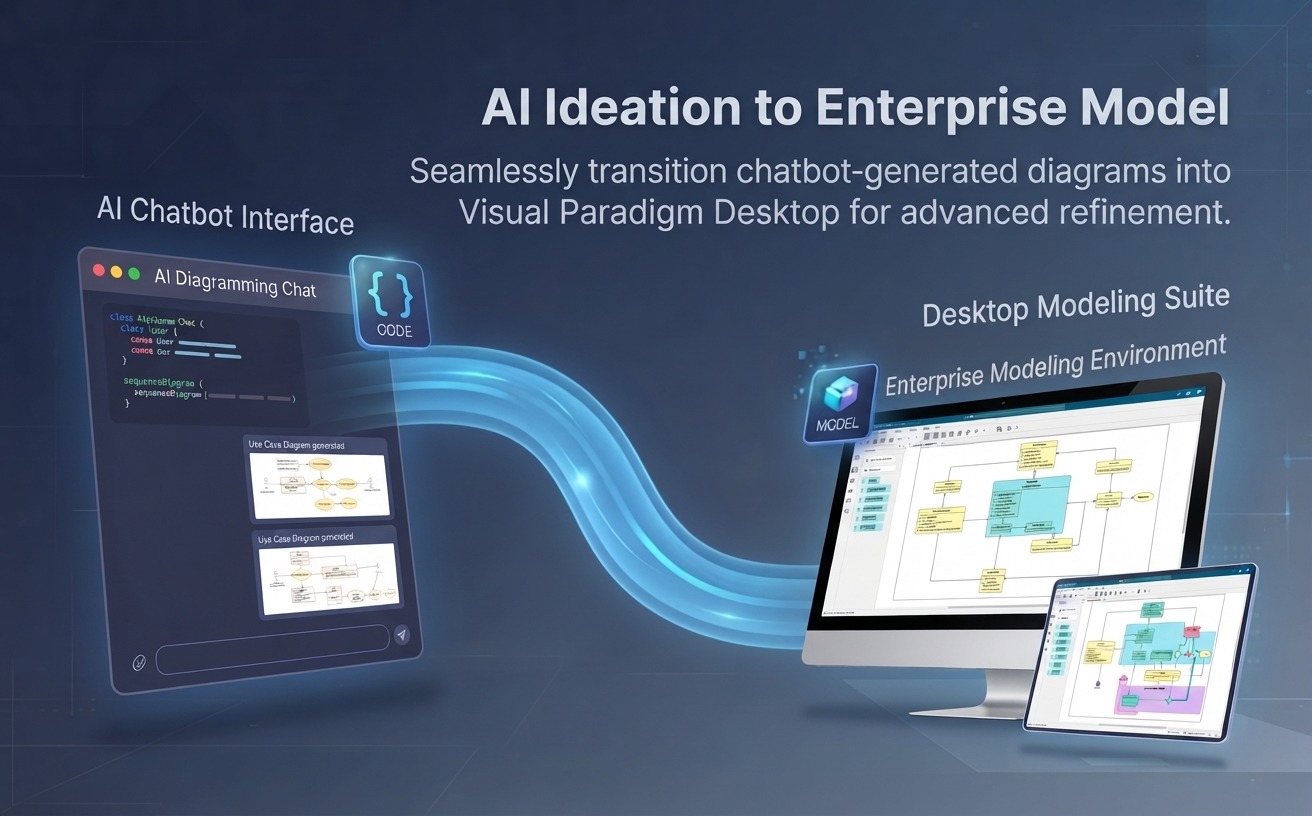
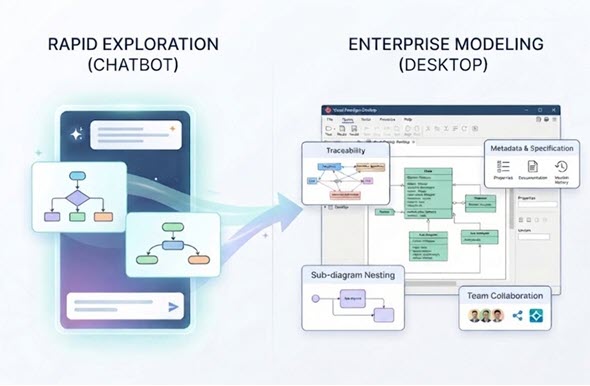
While conversational AI is unmatched for rapid prompt exploration and instant visual feedback, long-term software engineering demands full traceability, element metadata, sub-diagram nesting, and team collaboration.
Exporting AI Chatbot outputs to Visual Paradigm Desktop elevates temporary chat visualizations into permanent model artifacts that integrate directly into your enterprise software lifecycle.
Dialogue-Driven Brainstorming Meets Model Governance
Unlike syntax-heavy code editors or basic diagram generators, the AI Diagramming Chatbot understands domain context, responds to multi-turn prompts, and generates rich visual artifacts on demand.
1. Conversational AI Chatbot
Express problem statements in plain English. The Chatbot generates domain-accurate UML, ArchiMate, C4, and ERD diagrams, allowing you to ask follow-up questions and refine elements through natural dialogue.
2. Centralized Pipeline Hub
Collect insights without interrupting your conversational momentum. Whenever a diagram hits the mark, click "Send to Pipeline". Keep chatting and collect as many diagrams as you need.
3. Enterprise Desktop Engine
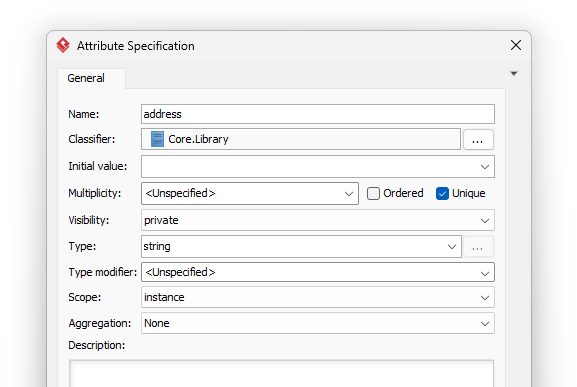
Import collected diagrams into Visual Paradigm Desktop. Transform prompt sketches into formal model elements with detailed specifications, sub-diagram nesting, report generation, and team collaboration.
How to Export Chatbot Diagrams to VP Desktop
A clean, 3-step operational procedure designed for frictionless transition from AI conversation to formal modeling.
Send Selected Diagrams to Pipeline
In your AI Chatbot session, click Send to Pipeline under any generated diagram to collect it asynchronously while continuing your conversation.
Access Pipeline in Desktop
Open Visual Paradigm Desktop and navigate to Project > Import > Visual Paradigm Pipeline to view your collected diagrams (use Filter to sort by type).
Confirm & Begin Modeling
Click OK to import. Your diagrams instantly become native, fully interactive model elements ready for specifications, sub-diagrams, and reporting.
Collecting diagrams via the Pipeline eliminates forced context switches during AI brainstorming.
Practical Use Cases: When This Integration Shines
Explore how bridging conversational AI prompts with Visual Paradigm Desktop solves complex modeling challenges across distinct enterprise disciplines.
Progressive System Design: Use Case to Sequence Derivation
Derive detailed behavioral sequence models directly from high-level functional use cases in a continuous conversational workflow.
1 AI Chatbot Prompting
Prompt the AI: "Generate a Use Case diagram for an Online Banking System." Review the output and click Send to Pipeline.
2 Conversational Context Expansion
Ask the AI in the same chat session: "Now derive a detailed Sequence Diagram for the 'Fund Transfer' use case." Collect it to the Pipeline.
3 Desktop Refinement & Traceability
Import both diagrams into VP Desktop. Link the Sequence Diagram directly beneath the "Fund Transfer" use case shape as a nested sub-diagram.
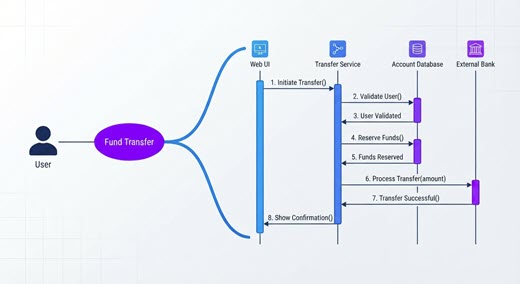
Sub-diagram linking in VP Desktop preserves traceability from high-level use cases to sequence lifelines.
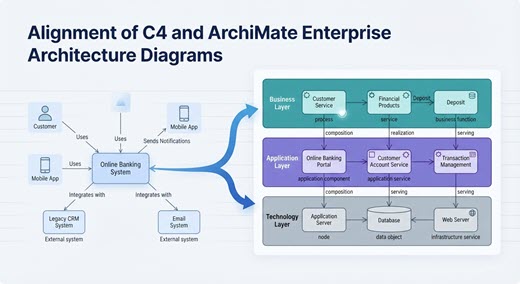
Importing C4 and ArchiMate models into VP Desktop enables corporate reporting and role assignment.
Enterprise Architecture: C4 to ArchiMate Alignment
Transition from informal C4 component sketches to multi-layer ArchiMate business governance and executive reporting.
1 High-Level AI Ideation
Prompt the Chatbot: "Create a C4 System Context diagram for a cloud e-commerce logistics platform." Collect to Pipeline.
2 Multi-Layer Mapping
Prompt the AI to break down core services into an ArchiMate Business & Application layer diagram. Send to Pipeline.
3 Enterprise Governance
In VP Desktop, import both models. Detail element specifications, assign team roles, and generate executive docx/PDF architecture reports.
Domain Data Modeling & Process Automation
Convert conversational domain prompts into physical SQL DDL scripts and standard operating procedure (SOP) documentation.
1 Natural Language Data Modeling
Describe requirements to the AI: "Generate an ERD for a healthcare patient portal with appointments and billing."
2 Process Flow Generation
Request a Stepwise Flowchart for the patient onboarding SOP. Collect both diagrams to the Pipeline.
3 Physical Code & Documentation
In VP Desktop, use the imported ERD to auto-generate physical SQL DDL scripts and use the process map to produce formal SOP manuals.
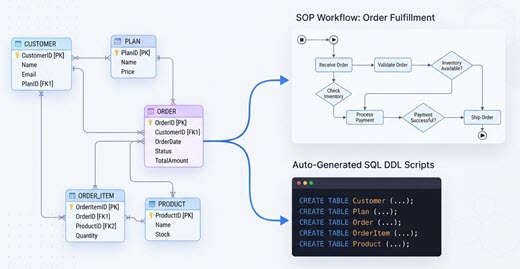
Generating SQL DDL scripts directly from imported Chatbot ERDs inside VP Desktop.
Supported Diagram Models in VP Desktop
Select a diagram category below to preview how conversational outputs map directly into native desktop modeling elements.
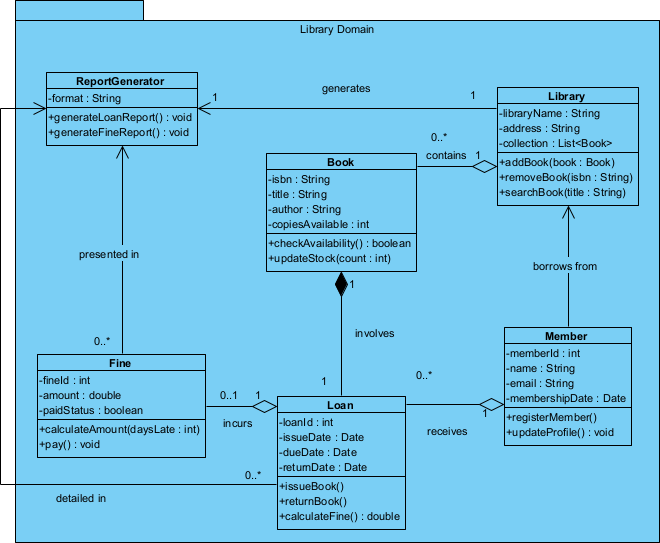
Exportable Diagram Types Directory
UML Notations
- ✓ Class Diagram
- ✓ Sequence Diagram
- ✓ Component Diagram
- ✓ Activity Diagram
- ✓ Use Case Diagram
- ✓ Deployment Diagram
- ✓ State Machine Diagram
- ✓ Object, Package, Timing
SysML Engineering
- ✓ Requirement Diagram
- ✓ Block Definition (BDD)
- ✓ Internal Block (IBD)
- ✓ System Specifications
Enterprise Architecture
- ✓ ArchiMate 3.2 Framework
- ✓ C4 System Context
- ✓ C4 Container Diagram
- ✓ C4 Component Diagram
- ✓ C4 Deployment Diagram
Data & Structures
- ✓ Entity Relationship (ERD)
- ✓ Chen ERD Notation
- ✓ Work Breakdown (WBS)
- ✓ Markmap (Mindmap)
- ✓ PERT & Org Charts
- ✓ Standard Flowcharts
Enterprise Governance Capabilities in VP Desktop
Select a governance capability below to explore how exported models unlock advanced desktop features.
Frequently Asked Questions
Common questions regarding the AI Diagramming Chatbot to VP Desktop Pipeline integration.
How does the Visual Paradigm Pipeline function as an integration bridge?
The Pipeline is a centralized, neutral hub within the Visual Paradigm AI ecosystem. Clicking "Send to Pipeline" in the AI Diagramming Chatbot collects your generated diagrams without forcing you to open desktop tools immediately. You can keep chatting freely and access your collected items in Visual Paradigm Desktop whenever you are ready.
Are exported diagrams turned into editable model elements or just flat images?
Exporting through the Pipeline converts conversational visual outputs into true, fully interactive model artifacts in Visual Paradigm Desktop. Elements retain model definitions, allowing you to edit shapes using the Resource-Centric interface, nest child sub-diagrams, and populate specification fields.
How do I manage dozens of collected diagrams in the Pipeline?
In Visual Paradigm Desktop's Pipeline import window, click the Filter button on the right to instantly filter collected diagrams by specific notation types (e.g., UML Class, Sequence, ArchiMate, ERD, C4).
Which license is required for this integration?
The AI Diagramming Chatbot is available as a free trial and included with VP Online (Deluxe Edition) and VP Desktop (Professional Edition). Importing into VP Desktop requires Visual Paradigm Desktop with Pipeline access.
Elevate Conversational AI to Enterprise Modeling
Brainstorm freely through natural prompt conversations with the AI Diagramming Chatbot, and refine your designs into enterprise visual models using Visual Paradigm Desktop today.