
This guide is designed to take you from a novice understanding of business processes to a proficient BPMN (Business Process Model and Notation) practitioner. By following this spiral of knowledge—moving from theory to practice, then to reflection and advanced application—you will gain the skills necessary to model complex organizational workflows effectively.
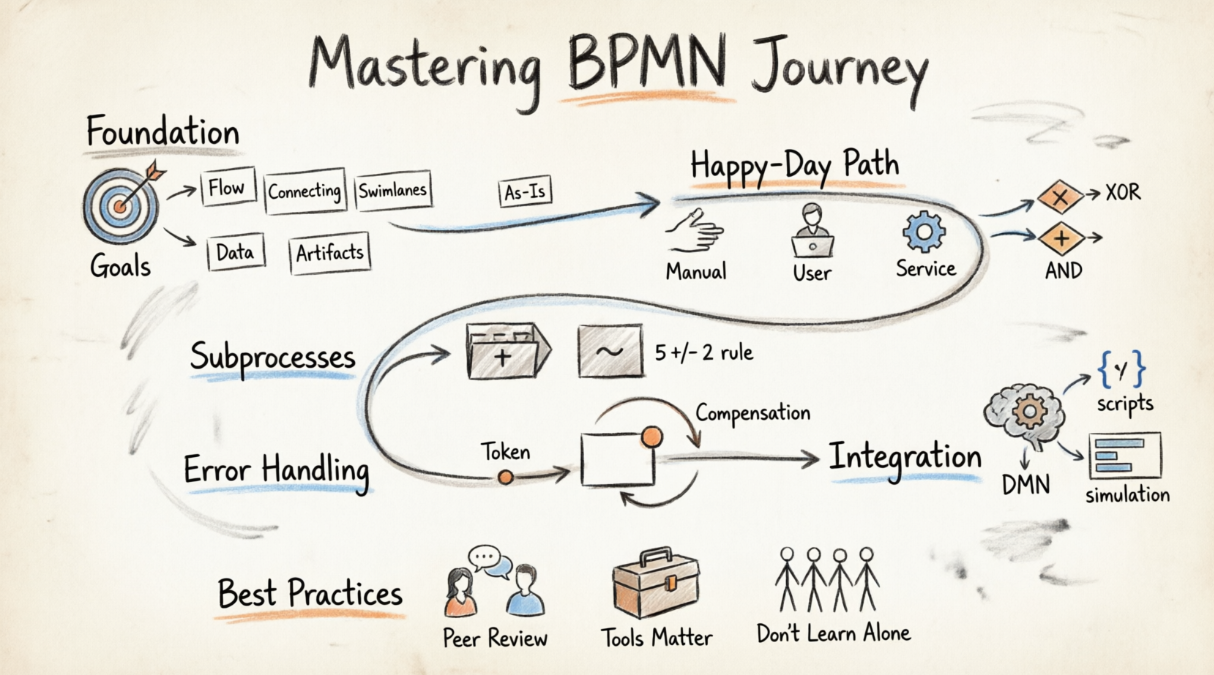
Before drawing your first box, you must understand the "why" behind the modeling. BPMN is not just about drawing diagrams; it is a graphical modeling language used to surface the "who, what, when, where, and why" of complex domains.
Define specific, measurable, and time-bound objectives. For example: "I will document four core 'As-Is' organizational processes within the next 30 days."
To speak the language, you must master its vocabulary. These are the core recognizable elements:
| Category | Elements | Purpose |
|---|---|---|
| Flow Objects | Activities, Events, Gateways | Define the behavior of the process. |
| Connecting Objects | Sequence Flows, Message Flows, Associations | Show the order of activities and relationships. |
| Swimlanes | Pools (Participants) and Lanes (Roles) | Organize activities by who performs them. |
| Data | Data Objects, Data Stores | Represent information required or produced. |
| Artifacts | Text Annotations, Groups | Provide additional context without affecting flow. |
Your first practical step is to document current legacy processes. This establishes a baseline for identifying bottlenecks before you attempt to design automated "To-Be" solutions.
Example: Imagine a manual expense reporting process. You would map out every step an employee takes, from saving a receipt to getting a manager's signature, exactly as it happens today—even if it’s inefficient.
The "Happy-Day Path" is the standard, error-free flow of a process. Master this before adding complexity.
Understanding the nature of the work is crucial for automation planning:
Use Call Activities to represent reusable, global tasks. If multiple processes require a "Credit Check," model it once as a global process and call it from wherever needed.
As processes grow, they become unreadable. Subprocesses allow you to hide or reveal details to prevent "information overload."
When using expanded subprocesses, aim for three to seven activities. This ensures the model remains readable and fits comfortably on a standard canvas.
Marked with a tilde (~), these are used for processes where the execution order is determined by the performer rather than a fixed sequence.
Example: A "Project Kickoff" meeting where the team might discuss budget, timeline, or resources in any order depending on the conversation.
Real-world processes rarely go perfectly. You must learn to handle deviations and system failures.
Think of a "token" as a marker that travels through your diagram. It helps you track the behavior and path of a process from start to finish. If a token reaches a dead end, your model has a flaw.
Attach intermediate events to the boundary of an activity to trigger exception flows.
Example: A "Cancel Order" message arrives while the "Process Payment" task is running. The payment stops, and the order is cancelled.
Example: A 2-hour timer triggers a "Send Reminder" email while the "Await Customer Response" task is still active.
When an exception occurs after work has already been completed, you need to undo it.
Depicted with double lines, these ensure that all activities within a set must succeed or fail together. They often utilize Cancel Events to abort the entire transaction if one part fails.
Bridge the gap between business logic and engineered systems.
Use Business Rule Tasks to connect your BPMN models to DMN engines. This is ideal for complex calculations that shouldn't clutter the process flow.
Example: Instead of modeling every tax bracket in BPMN, use a Business Rule Task called "Calculate Hazardous Material Separation Cost" that references a DMN table.
Model tasks executed directly by the process engine, such as querying a database for a report or processing an incoming email attachment.
Populate your models with metrics like time, cost, and resource availability. Run "what-if" simulations to:
Establish a central library of "primitives"—standardized activities, roles, and data objects. This accelerates modeling and ensures consistency across the enterprise.
By following this structured approach, you will transform from a novice observer into a skilled BPMN practitioner capable of driving real business value through clear, actionable process models.

