Visual Paradigm Desktop VP Online

ArchiMate Tool

Enterprise Architecture with a certified ArchiMate modeling tool.

Save your time and effort on enterprise architecture design

Quickly create professional enterprise architecture blueprints and collaborate using the ArchiMate software of choice for organizations around the world. Certified by The Open Group, Visual Paradigm's ArchiMate modeling tools for enterprise architects and enterprise modelers of all levels support architecture design needs with all the vocabulary, notation, syntax, and semantics of the ArchiMate 3.2.

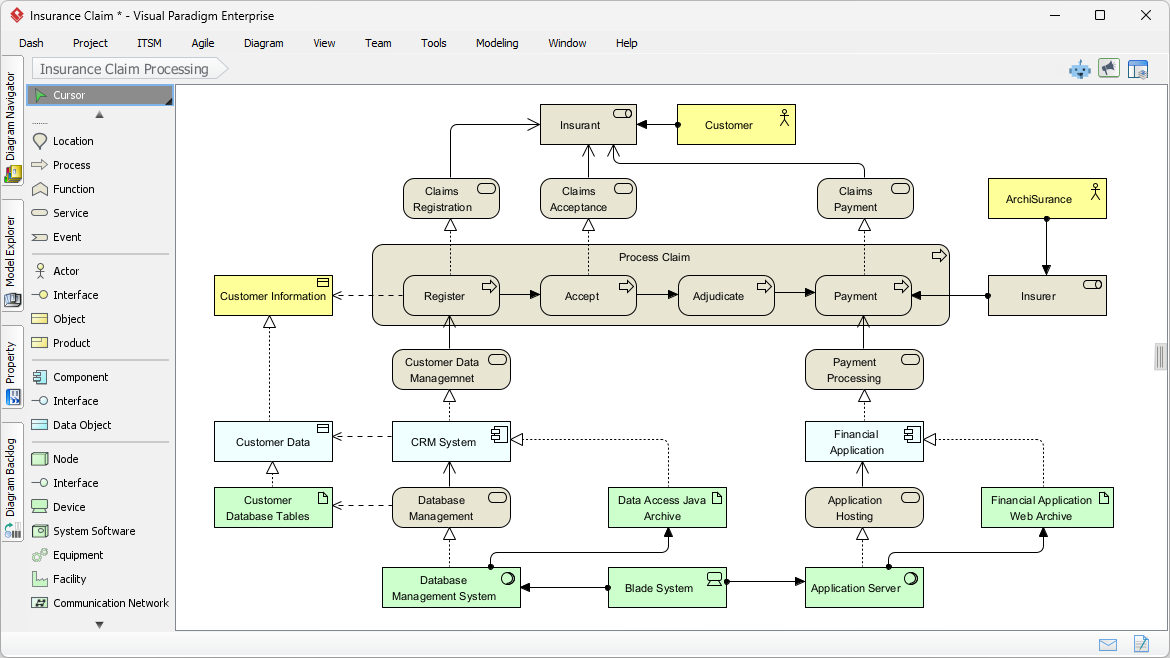
ArchiMate diagram example

Drag. Drop. Done.

Enterprise architecture design has never been easier. With ArchiMate software, building professional enterprise architecture models is a breeze.

Powerful and intuitive ArchiMate diagram tool

  • Drag-and-drop editing interface
  • Precise shape positioning with alignment guide
  • Many formatting options for shapes and connectors
  • Categorize shapes with different colors, using Color Legend.
Using Resource Catalog in ArchiMate diagram

Strategy Meets Automation: AI-Powered ArchiMate & Viewpoint Generation

Visual Paradigm's ArchiMate editor is a powerful tool for enterprise architects, providing the specialized environment needed to map complex business, application, and technology layers. We are now elevating this experience by integrating full ArchiMate support into our AI Diagram Generator, transforming how you visualize enterprise complexity.

This new capability allows you to instantly produce standards-compliant ArchiMate diagrams from simple strategic descriptions, entirely skipping the manual drafting phase. By leveraging AI to automatically select the correct elements and organize them according to official ArchiMate Viewpoints, the tool delivers a complete, structurally sound model that allows you to focus on architectural strategy and stakeholder validation rather than manual drawing.

Learn more
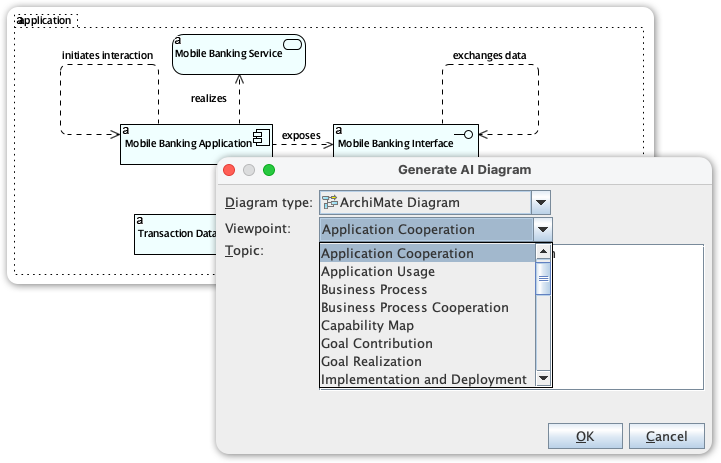
AI-Powered ArchiMate & Viewpoint Generation

Custom Viewpoint.

Create ArchiMate diagrams with a particular viewpoint. You can apply a pre-defined viewpoint or define your own.
ArchiMate viewpoints

Element reusability

Reuse elements in diagrams

. Keep your design consistent by reusing the same elements in different diagrams. Any changes made to one instance will be synchronized to all other instances.

Define custom properties ad-hoc.

Document the specific information you need for your project. Refine your model with user-defined attributes through ETL tables.
Define custom properties for ArchiMate elements

Team collaboration in ArchiMate diagramming

Team collaboration.

Increase productivity and design faster in a distributed EA team. Our cloud workspace lets your team develop architectural models faster, better, and together.

View diagrams online.

Let stakeholders and teammates view your designs by sharing them online. Anyone with a shared link can view the diagram online through an interactive diagram viewer.
View ArchiMate diagrams online

Gather feedback.

Communicate architectural designs online with stakeholders and EA team members, gather feedback, and refine designs in ArchiMate tools.
Gather feedback on ArchiMate diagram

More than ArchiMate tool

More than an ArchiMate tool.

Model business processes with BPMN and design IT solutions with UML. There are hundreds of diagrams to choose from. Create the diagrams you need and link them to ArchiMate's diagrams for better traceability.

Enterprises' choice.

Businesses from around the world, the ones you know and love use Visual Paradigm for fast and collaborative EA modeling. Our customers include Fortune 500 companies, startups, and government entities.
Enterprises' choice

Turn every software project into a successful one.

We use cookies to offer you a better experience. By visiting our website, you agree to the use of cookies as described in our Cookie Policy.

OK